Enterprise UX Work - Walkthrough
Developer Experience - TD Bank Developer Marketplace and API Platform
"Soup to Nuts": Project Definition Buy-in, Agile Product Owner Management, Project Management, Team Management, Innovation Buy-in Management, User Research Product Surveys, User Analytics, Personas, User Stories, Design Thinking Workshops, Purchase Behavior Psychology, Sitemaps and Screen/User Flows, Information and Content Architecture, Annotated Wireframes and Design Systems, Iterative Interactive Prototypes, Usability Testing, Cross Team Buy-in Change Management Facilitation, Micro-Interactions Documentation, Developer Documentation, WCAG 2.2 Accessibility, Enterprise Gamification, QA and Rollout ...
Note: proprietary information removed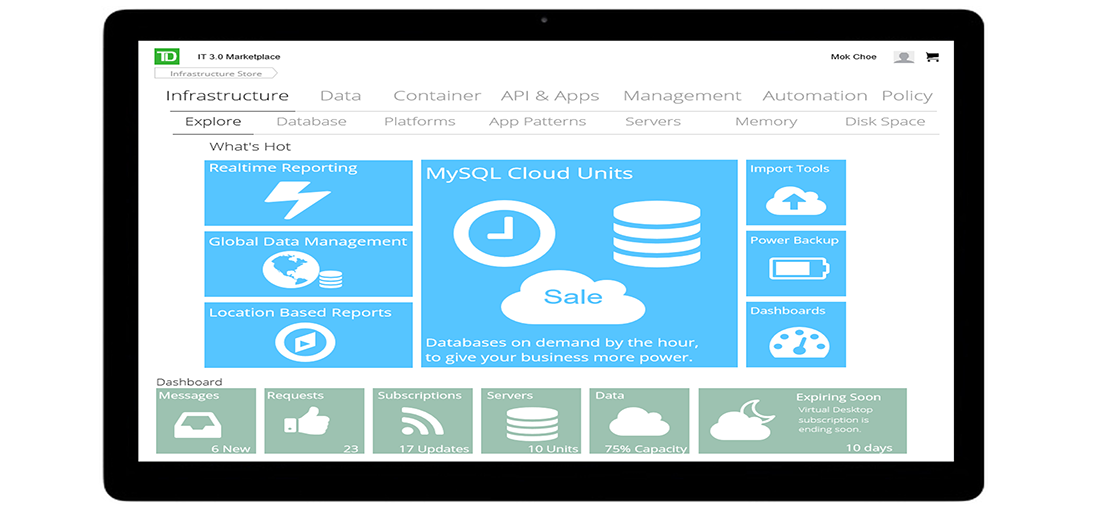


Summary Introduction
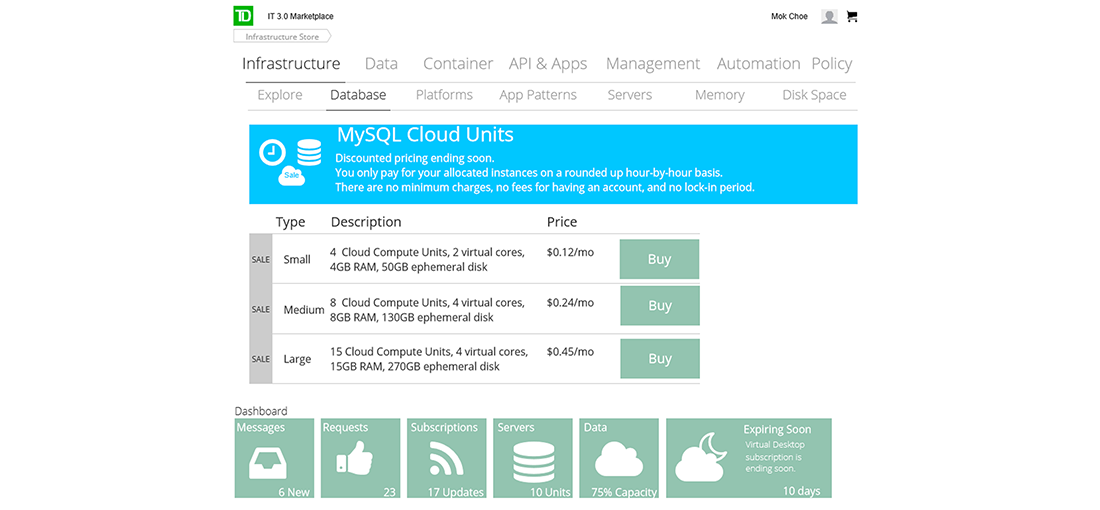
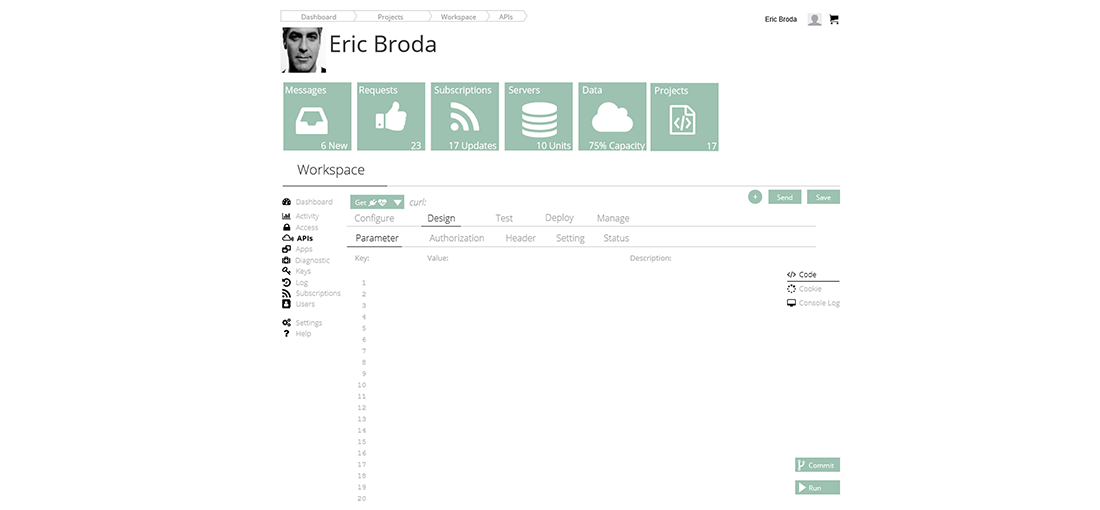
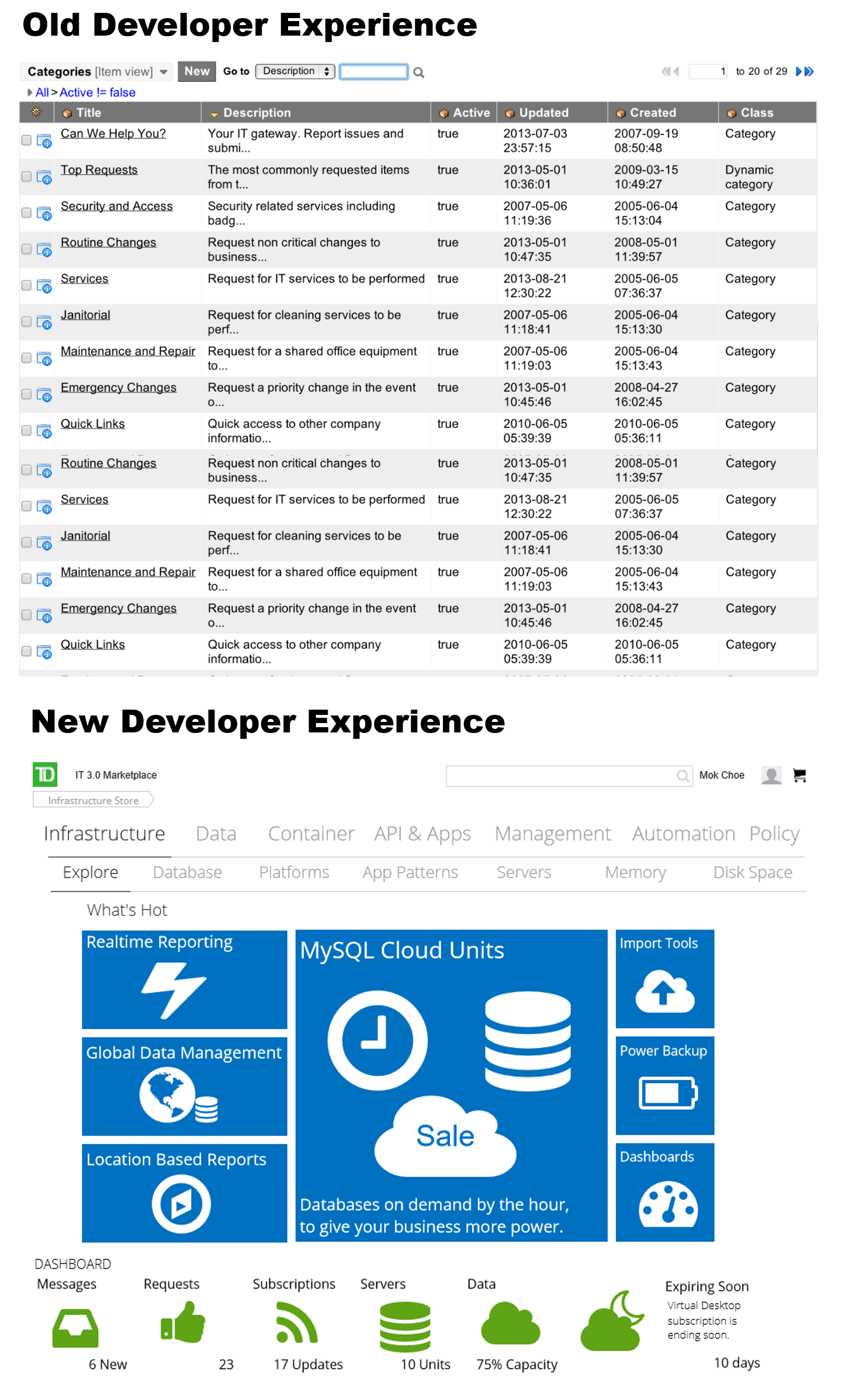
The IT 3.0 Developer Marketplace is an enterprise Self-Serve Cloud Portal where software teams can access and use technical components automatically.

Situation: Design a "Developer Experience" with a new Cloud Platform the reduces that integrates and reduces the amount of legacy applications
Metric: increase the operational efficiencies by 10% for the amount of time it takes to plan, develop, deploy and support Enterprise Applications
Action: Using UX Research and modern UI design best practices, an Enterprise IT Cloud Marketplace was successfully adopted by 2000+ IT professionals
Result: 20-90% increase in operational efficiencies (depending on departments)
Time bound: On time and on budget in 8 months
Like the Amazon Web Services (AWS) Cloud Portal, it is an online catalog to discover, manage and “own” approved technical components for enterprise software development, that integrate with a continuous delivery production pipeline.
Working with the key sponsors and stakeholders, the Business Vision was to create an IT 3.0 Developer Experience Cloud Marketplace, that combines the best of Amazon AWS, Google Cloud Compute, Microsoft Azure
- Allow new business applications to be created and deployed, as easy as buying a book from Amazon, or buying a game from Xbox
- Make the creation and use of low-code/no-code tools exciting and fresh, so the company can attract and retain the best talent
Successful Final Outcomes
Like the Amazon Web Services (AWS) Cloud Portal, it is an online catalog to discover, manage and “own” approved technical components for enterprise software development, that integrate with a continuous delivery production pipeline.
- One of the 1st Full Service Enterprise Cloud Developer Platforms, still used and copied today
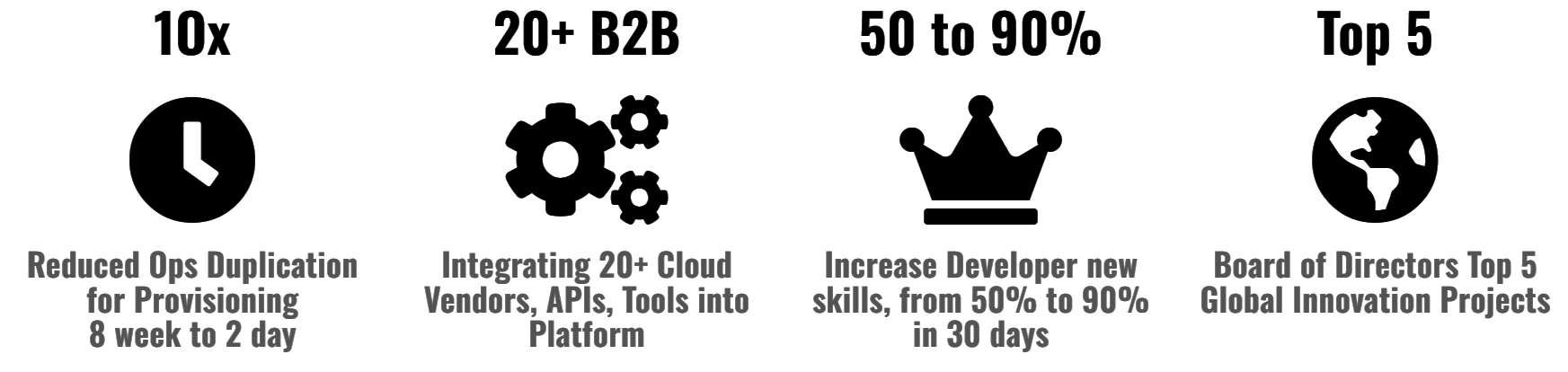
- Concept to Deployment in 6 months, integrating 20+ Cloud Vendors, APIs, Tools
- Board of Directors Top 5 Global Innovation projects, touching millions of customer's daily lives
My Role
- UX Lead
- Visual UI Designer
- Sprint Co-Product Owner
Sprint Team Members: 14
- 2 Product Owners (me)
- UX Lead (me)
- Visual UI Designer (me)
- UI Developer
- Enterprise Architect
- Front End Developer
- DevOps Engineer
- 5 Full Stack Developers
- QA Tester
UX Deliverables
- Project Design Strategy
- Personas
- Sitemap
- Information Architecture
- User Stories
- User Flows
- Wireframes
- Interactive Prototype
- Usability Testing
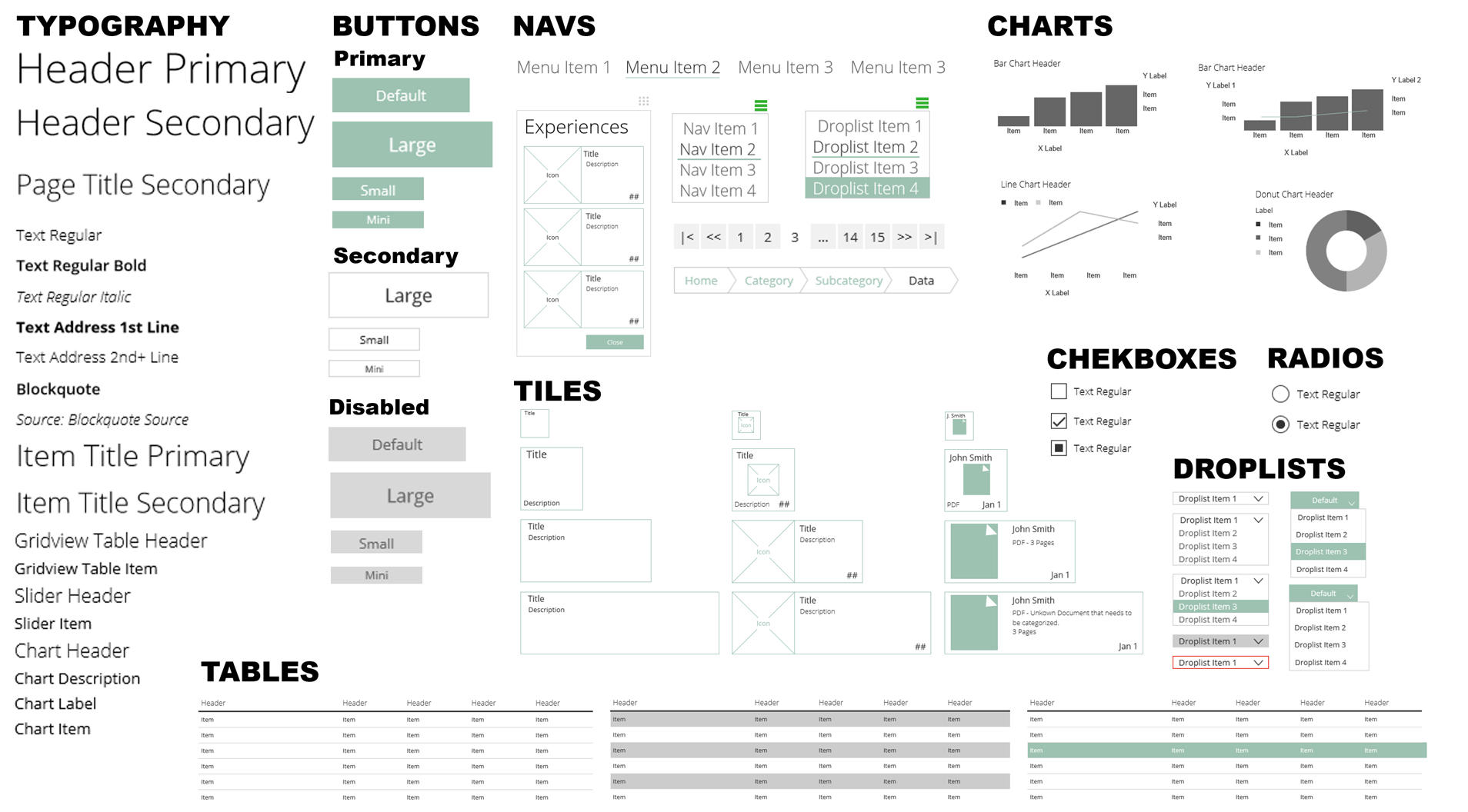
- Design System
- Developer Component Library Documentation
- Change Management Gamification
Success Metrics
- Chosen by CEO as 1 of top 5 new innovation projects presented to Board of Directors
- Reduced Operations duplication of work by 3x
- Reduced Provisioning time from 8 weeks to 2 days
- Costs savings for new projects by 50%
- Received CIO "Innovation Award"
- Reduced training costs by 50%
- Change Management "Hackathon" increased new tech stack skills upgrade from 50% to 90% pass rate in 30 days, across 14 global departments
Case Study Details Walkthrough
Part 1/11 - UX Challenges, Activities, Deliverables
The problem at first glance was easy to define: create an online application where Developers can get cloud based resources. The challenge was how to build this application from scratch.
- It was decided early on by the CIO of enterprise architecture that the user experience will be built first to guide the technical infrastructure, instead of the other way around.
- Better Workflow and menu structure of a new application to create intuitive navigation
- In the initial meeting with CIO and his key stakeholder executive team, I asked “If you can today, in one sentence, what problem are we trying to solve?”
After a few moments of silence and trust building, it was proposed that we re-convene in a few days where it was decided that I lead a Product Strategy with surveys, analytics, and workshop to help plan and align the UX and Business Goals, with the key stakeholder team.
Part 2/11 - Define: Project Design Strategy
What is the size of the "breadbox"
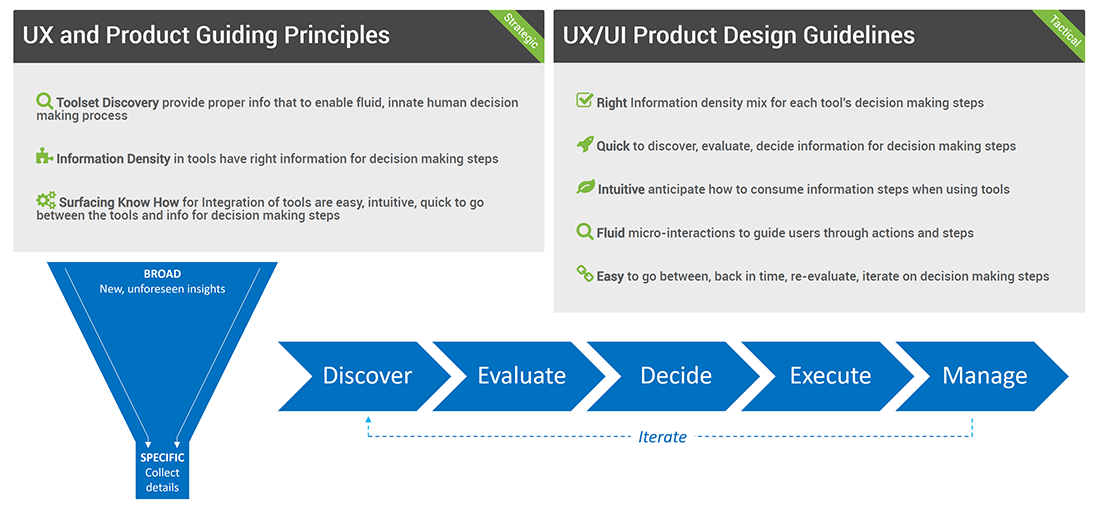
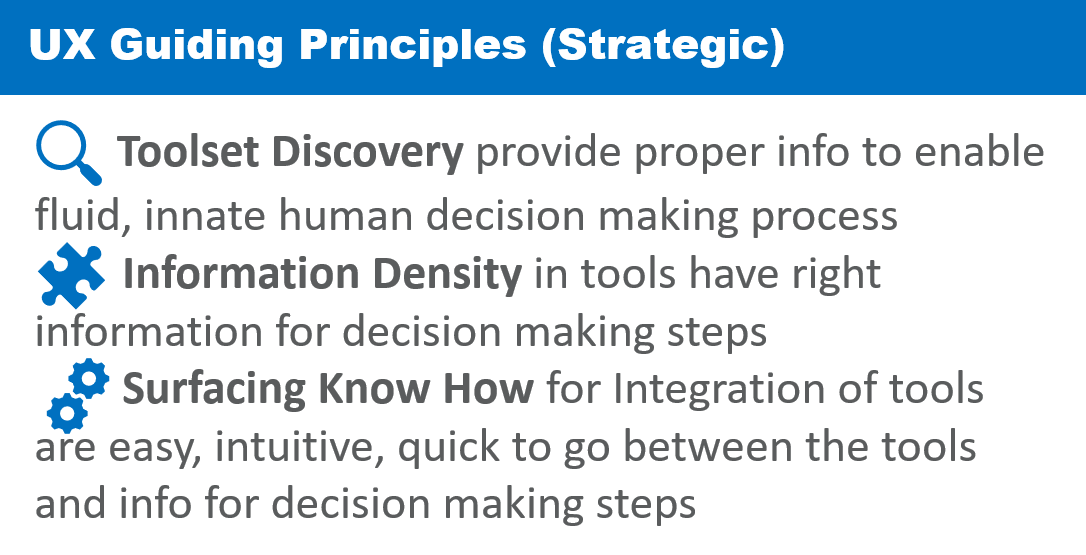
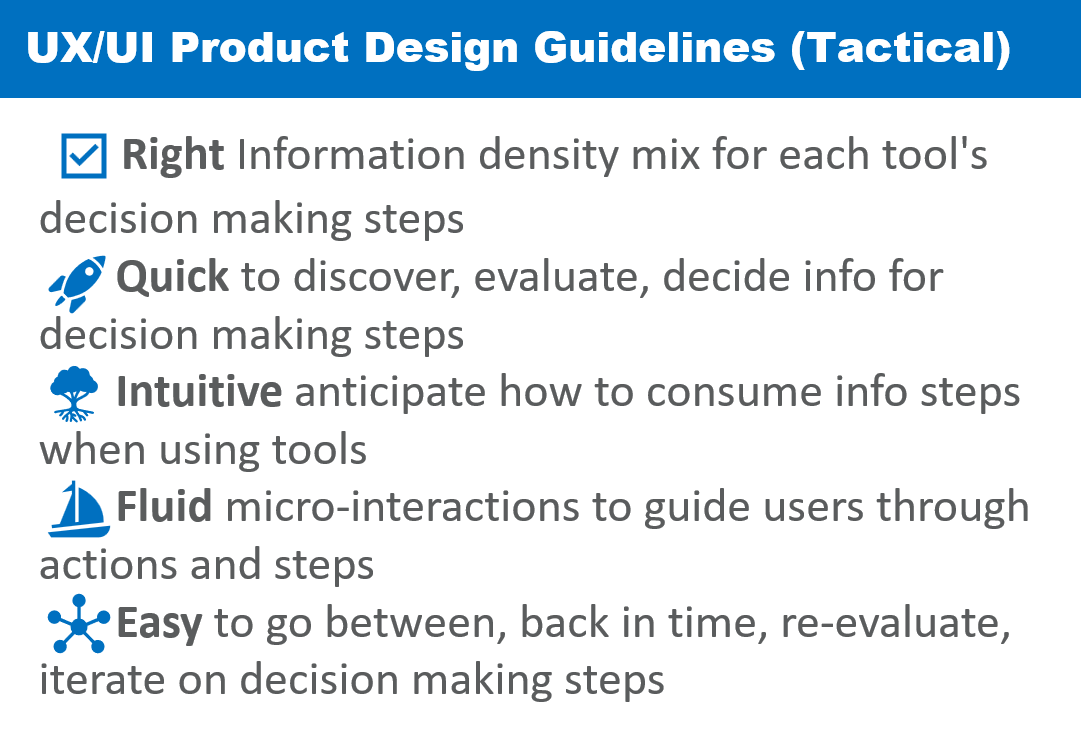
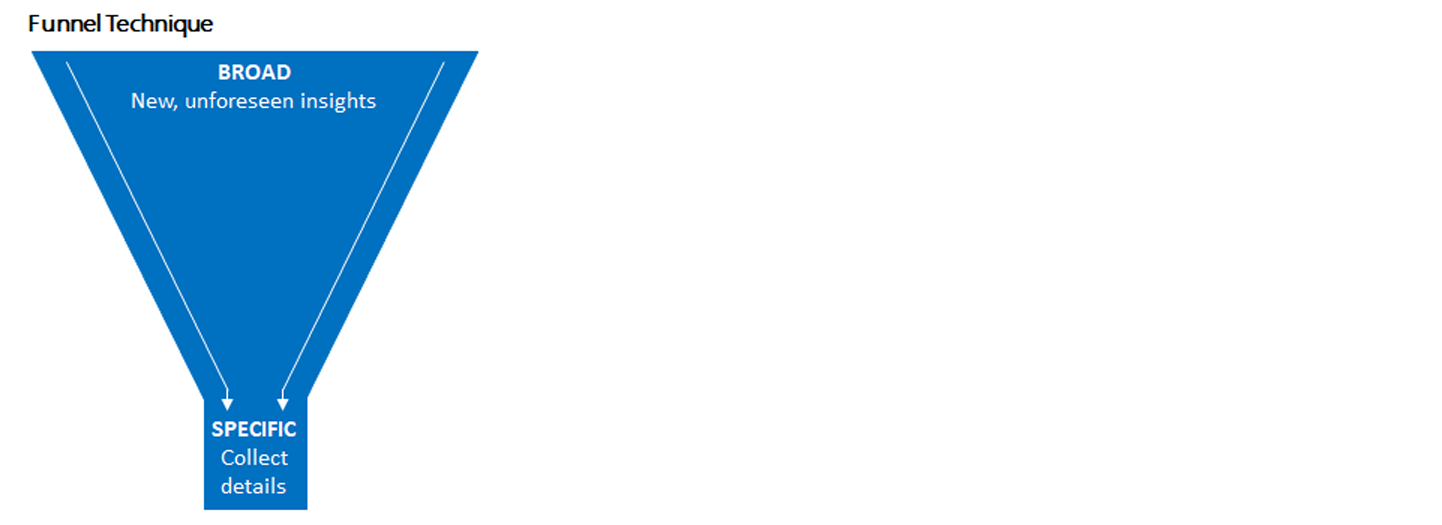
Rather than rushing to create Wireframes and Prototypes, I've found success by creating and confirming a set of guidelines first that will help on the target goals.
Key Starting Questions
Over the past decade plus, I've compiled a simple set of “Key Starting Questions”, based on insights from Apple's Steve Jobs, Harvard's Michael Porter, Management Guru Peter Drucker, and many more.
Once these questions were answered and approved, the “Key Starting Questions” helped guide the general direction of the UX work, as well as defining “where we don't want to go”.
Part 3/11 - Define: User Research Product Survey
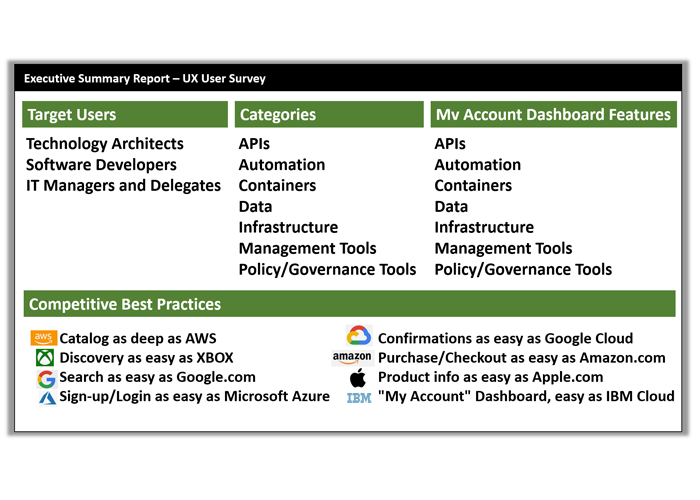
Who are the target users?
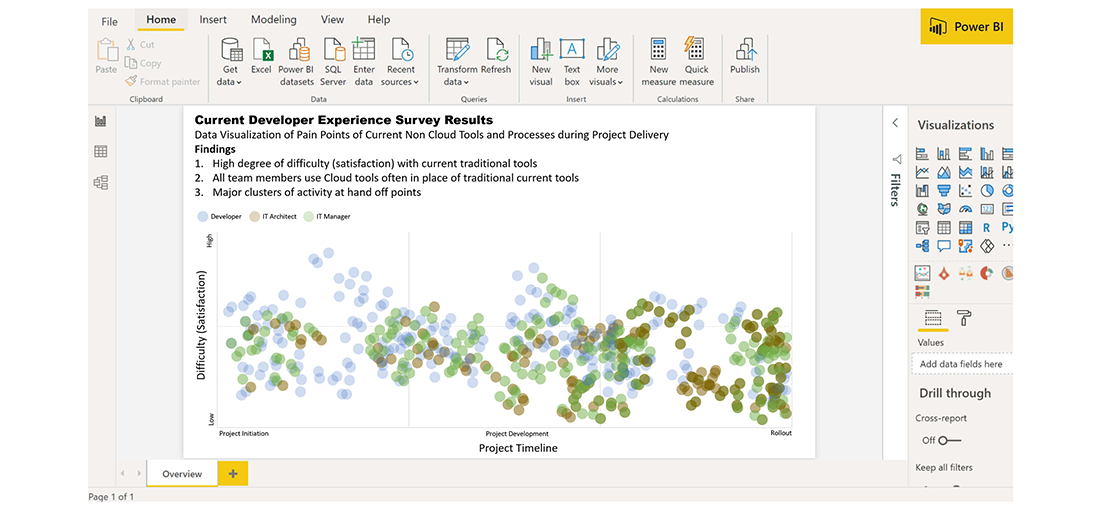
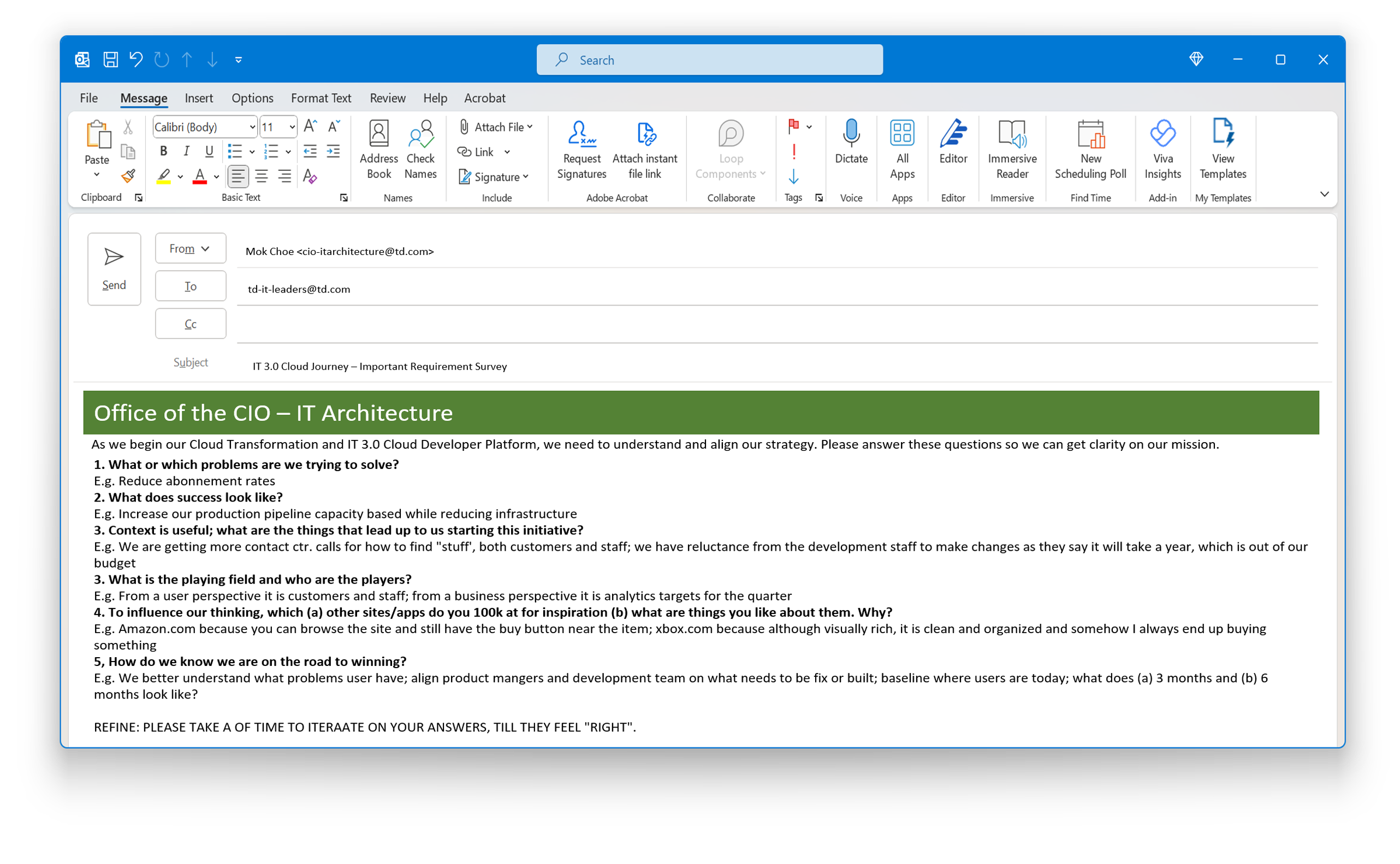
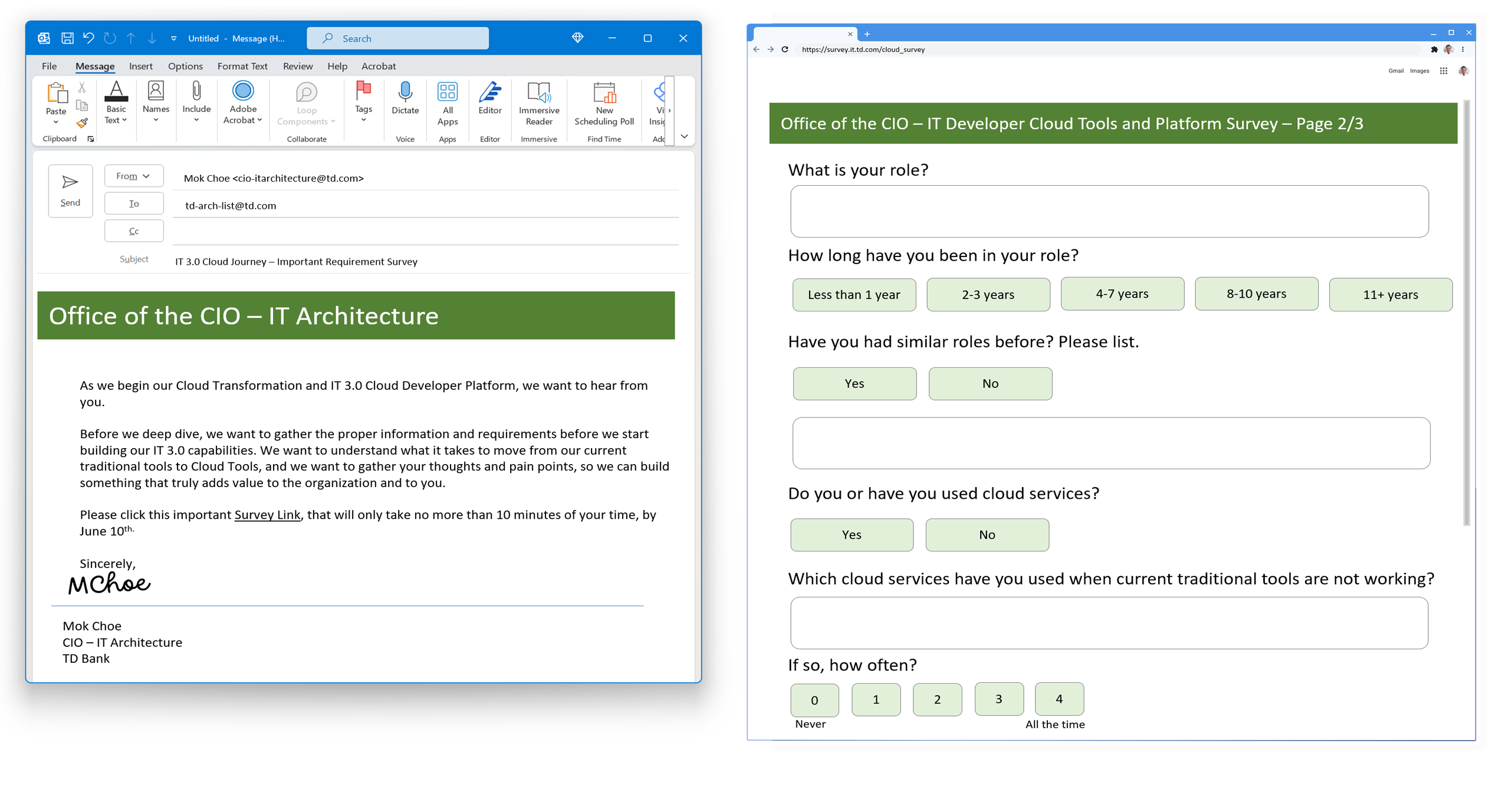
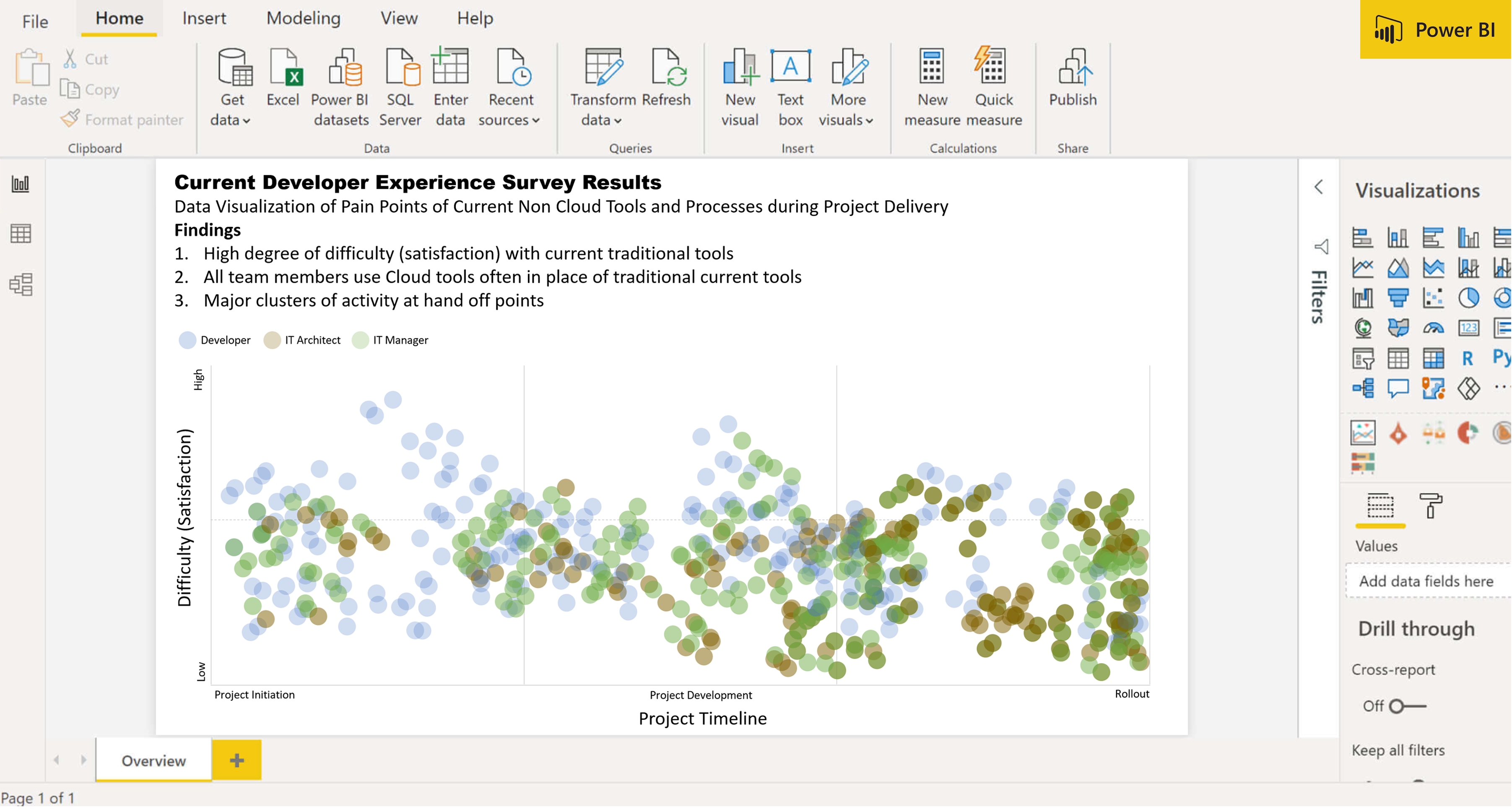
We started by creating a User Survey to identify target users and what best practices they want to use. We sent out surveys to staff in 5 groups which included Architects, IT Managers, Product Owners, Project Managers and Software Developers.
"You can't really understand another person's experience until you've walked a mile in their shoes"
- Ancient Proverb
UX User Survey
One way we were able to get a 90% rate, was that the email survey was sent by the CIO, so it got attention
Over 1000 points of quantitative and qualitative feedback were analyzed summarized, to help group areas of focus for the UX design process
These pieces of feedback were also used to guide UX Personas, User Stories and Visual Wireframing
Part 4/11 - Define: Personas
Target Users Identified
It was clear from the User Research Survey that there were 3 specific end users, not the original 10 that were originally assumed. These users had specific needs, some distinct and some that overlapped.
Personas were key to help guide the project team to understand how to plan phases of development, as well as to report progress and get approval from Project Funders, to continue the project so they have confidence that the work is headed in the right direction.
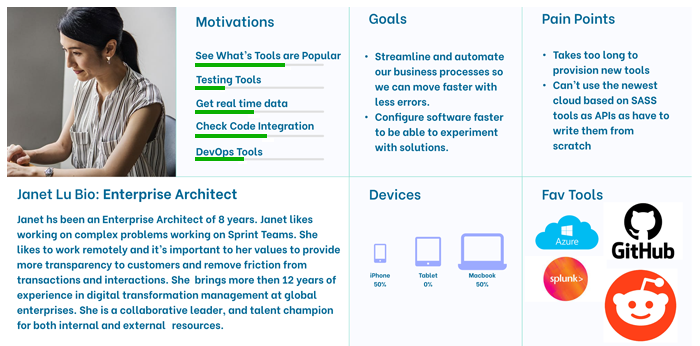
To aid in focussing features and functions for these users, UX Personas were created. UX Personas, a user centred design tool, are a representation of end users that help guide what needs to be built to satisfy their needs
Personas, based on data collected from users, illustrate attributes such as attitudes, behavioral patterns, goals, needs, skills and work responsibilities
The 3 UX Personas identified: Enterprise Architect, Software Developers, IT Managers
Part 5/11 - Design: User Stories
Product Features Documentation
The next step was to create User Stories. These are short, simple descriptions of a feature, from the viewpoint of the users' requirements.
They typically follow a simple template:
- As a "type of user", I want "some goal" so that "some reason or outcome"
- The User Stories helped the Agile team prioritize feature development planning
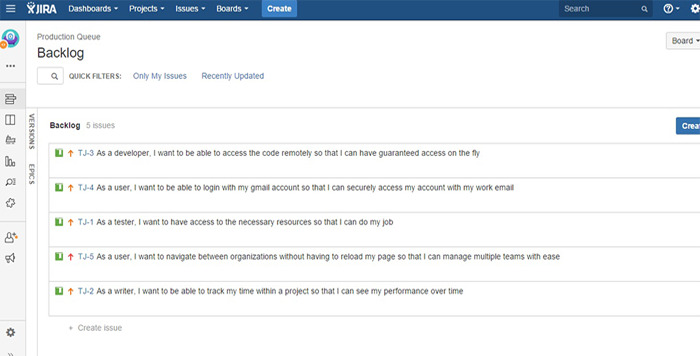
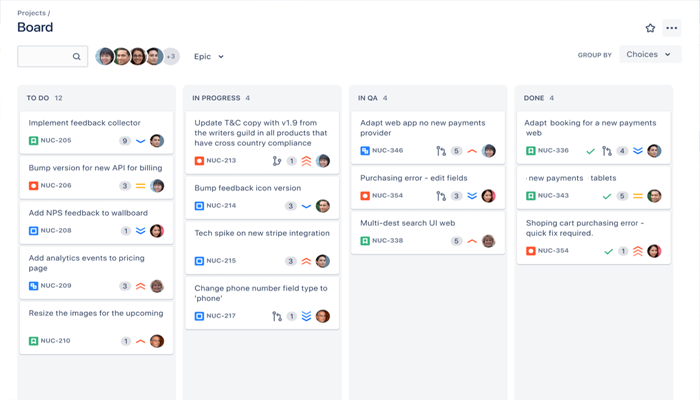
- Originally captured and categorized in Microsoft Excel, they were eventually transferred into JIRA and a KANBAN Board for the Sprint product backlog
User Stories Examples from Project
- As a cloud developer, I want seamless integration with version control systems like Git, enabling easy collaboration and tracking of code changes.
- As a cloud developer, I want a comprehensive debugging toolset that provides real-time insights and allows me to troubleshoot and fix issues in my code.
- As a cloud developer, I want access to a comprehensive set of APIs and SDKs that enable seamless interaction with cloud services and platforms.
- As an IT Manager, I want access to a wide range of cloud deployment templates and configurations, simplifying the process of deploying applications and infrastructure.
- An IT Manager, I want automated testing frameworks and tools that help me validate the functionality and performance of my cloud-based applications.
- As a IT Manager, I want a robust monitoring and logging system that provides real-time visibility into the health and performance of my cloud resources and applications.
- As an Enterprise Architect, I want integration with continuous integration and continuous deployment (CI/CD) pipelines, allowing me to automate the build, test, and deployment processes.
- As an Enterprise Architect, I want a scalable and flexible environment that allows me to easily provision and manage cloud resources, such as virtual machines, containers, and serverless functions.
User Story Example in Jira
Part 6/11 - Design: Sitemaps and Screen/User Flows
Defining the Structure and Visualizing How Users Interact
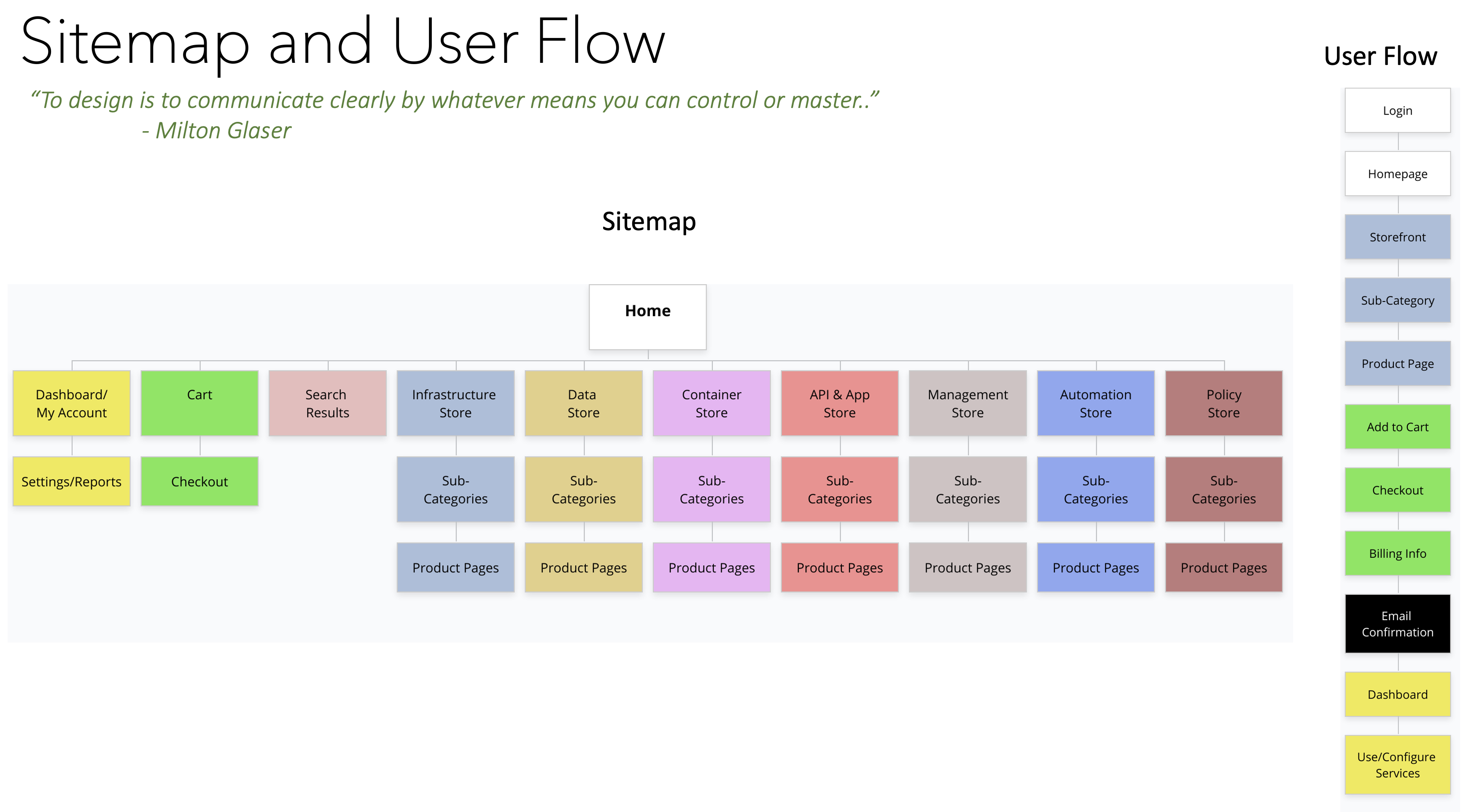
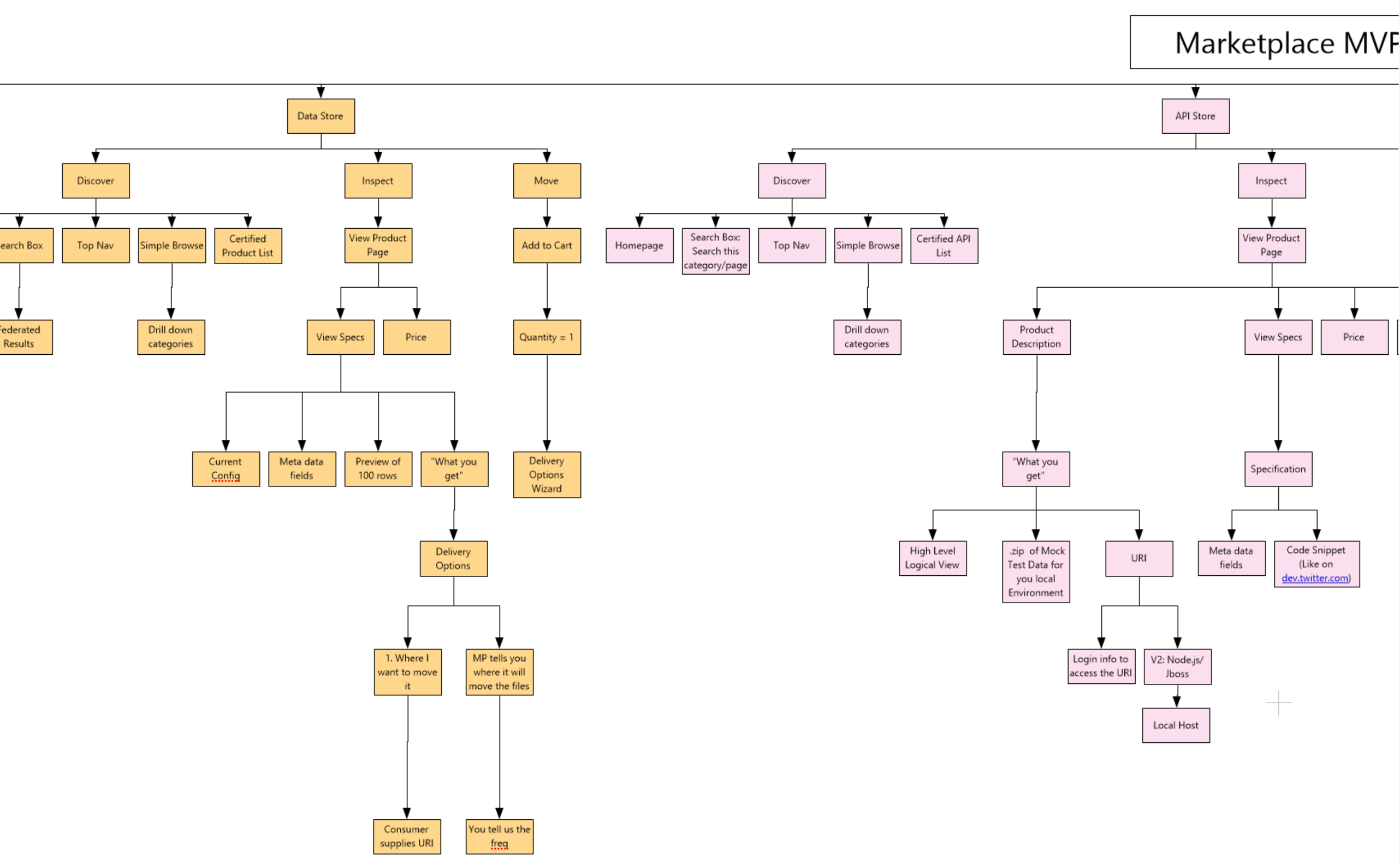
Sitemaps are a visual systematic hierarchy of screens that are presented to the user; it shows a navigation representation of how screens are related to each other.
User/Screen Flows represent how a user navigates, from start to finish to complete a task. These were gleaned from observing current users, as well as mapping out how other competitors work; these feed into User Stories, as we categorized different ways and requirements that users need to do their jobs
Key uses of Sitemaps and User Flows are to validate, consolidate and understand ways that users navigate and complete tasks
These help understand how many story points and prioritization for development Sprints
Part 7/11 - Design: Information and Content Architecture
Understanding the Technical Constraints
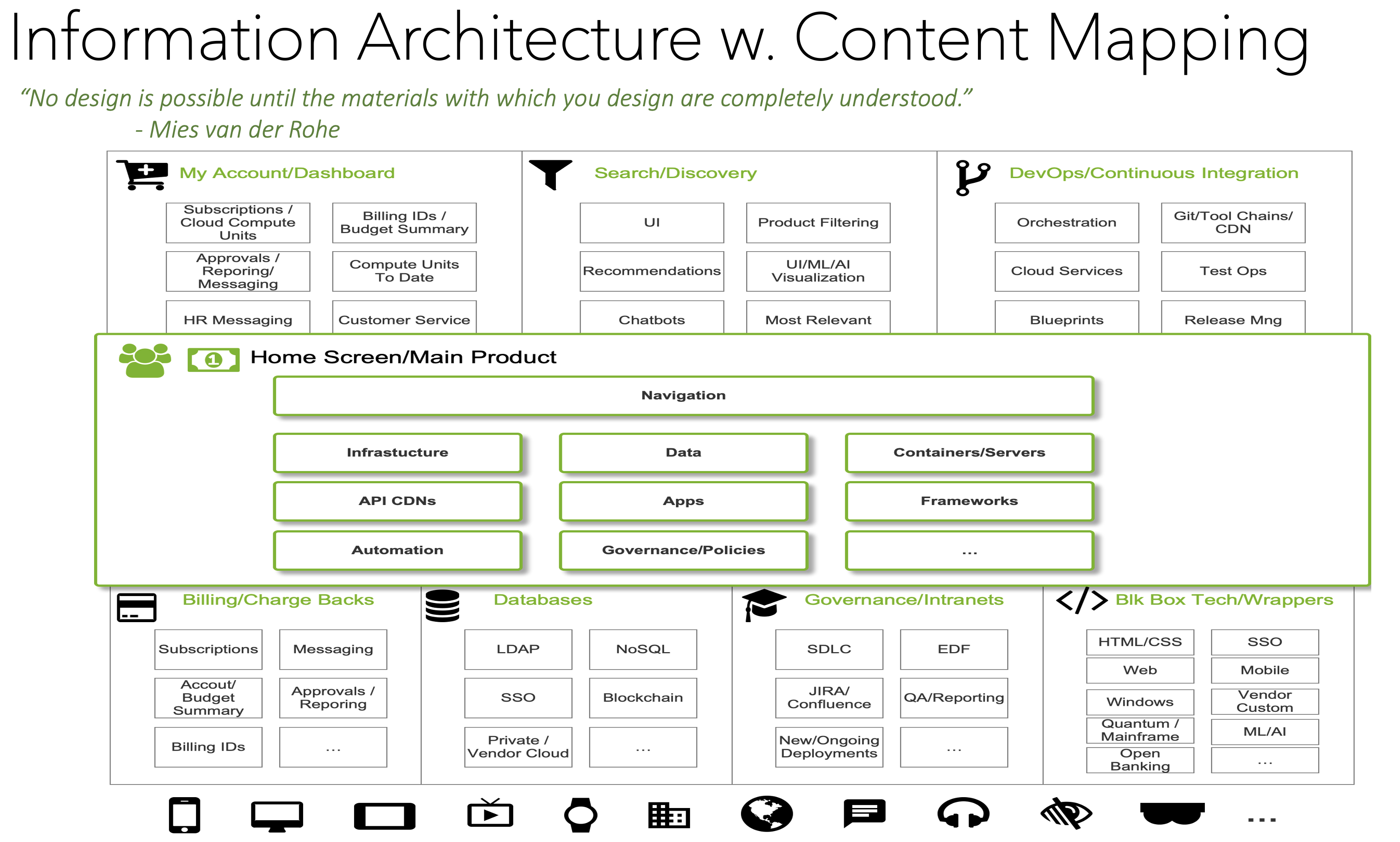
One problem we realized is that we didn't know which technical pieces existed to support the UX of the product. Like many large enterprises, there are many pieces of infrastructure in many silos across the organization and no central place to find easily find them.
To be able to break down User Stories to match with infrastructure integration and development, it was essential to have an Information Architecture diagram mapped to content sources.
Together with a Lead Developer and IT Architect, we were able to find and document pieces that were needed to be able to manage the product backlog as well as have validate which infrastructure exists and what needs to be developed.
This was a big time saving opportunity in our planning sessions and helped manage the Agile Sprints.
As a living document, we added to the diagram documentation during Sprints so the team members had a main visual reference, reducing the need and time to find and contact members outside our team
Part 8/11 - Develop: Wireframes and Design System
Defining Elements, Interactions and How they Fit Together
One of the most visible UX tools are Wireframes. These can be in the "Design" phase or the "Development" phase, depending on how the team wants to track them in Sprints
While traditionally UX work started with Wireframes, now that online applications have become more complex, seasoned UX professionals have found benefits and overall project efficiency/alignment by doing up front analysis work that then better connect to Wireframes
- Wireframes are like a blueprint and prototype of the elements represented on a screen, arranged in an order and layout of what the final product will eventually look like
- The purpose of Wireframes are to get early feedback from the product owner, developers, graphic designers and end users
- As a cloud developer, I want access to a comprehensive set of APIs and SDKs that enable seamless interaction with cloud services and platforms
- It is especially important to both front-end and back-end Developers so they can plan out their development process
- These help understand how many story points and prioritization for development Sprints
Developing Wireframes in Sprints
For the project, multiple versions of Wireframes were constantly created using UX Wireframing tools. These were done 2 Sprints ahead of the software development Sprints.
- During development of Wireframes, it’s useful to ask a "friendly neighbour" by showing the screen, via quick online screensharing as well as walking over to a colleague with screenshots on a tablet, to validate and ask “What do you think this screen is for and what can you do from it?”.
- This "Guerilla" technique was useful to help validate which elements "make sense"”" and "where don't we want to go" to iterate very quickly
- This type of feedback and interaction is especially important to both front-end and back-end Developers so they can plan out their development process
- Wireframes were published to Confluence with annotations, so the team can give feedback and ask questions to balance UX and technical issues
- These help understand how many story points and prioritization for development Sprints.
Sample Annotated Wireframe

Sample Design System Components
Part 9/11 - Develop, Refine: Iterative Interactive Prototypes
From Concept to a real "thing" - identify flaws and make improvements
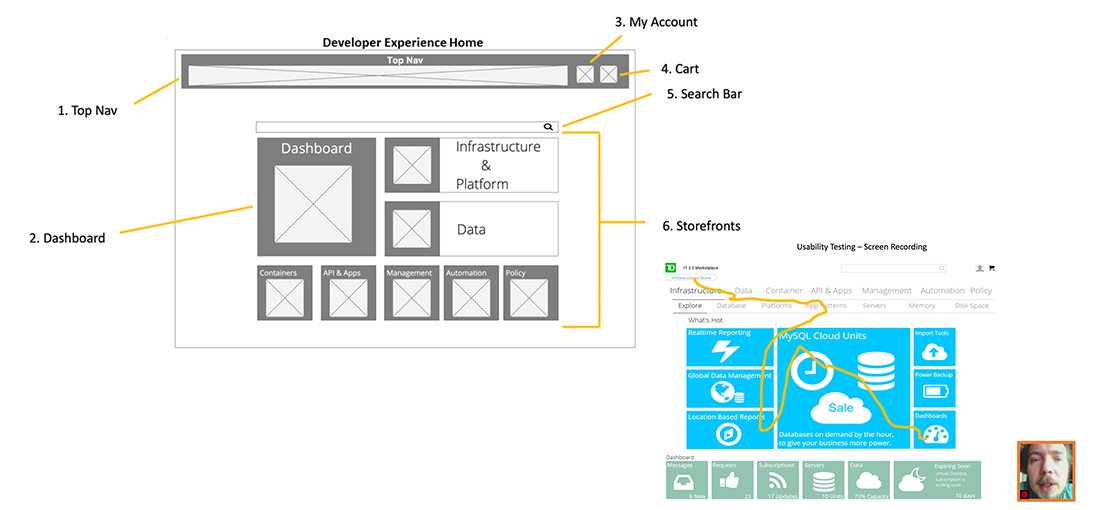
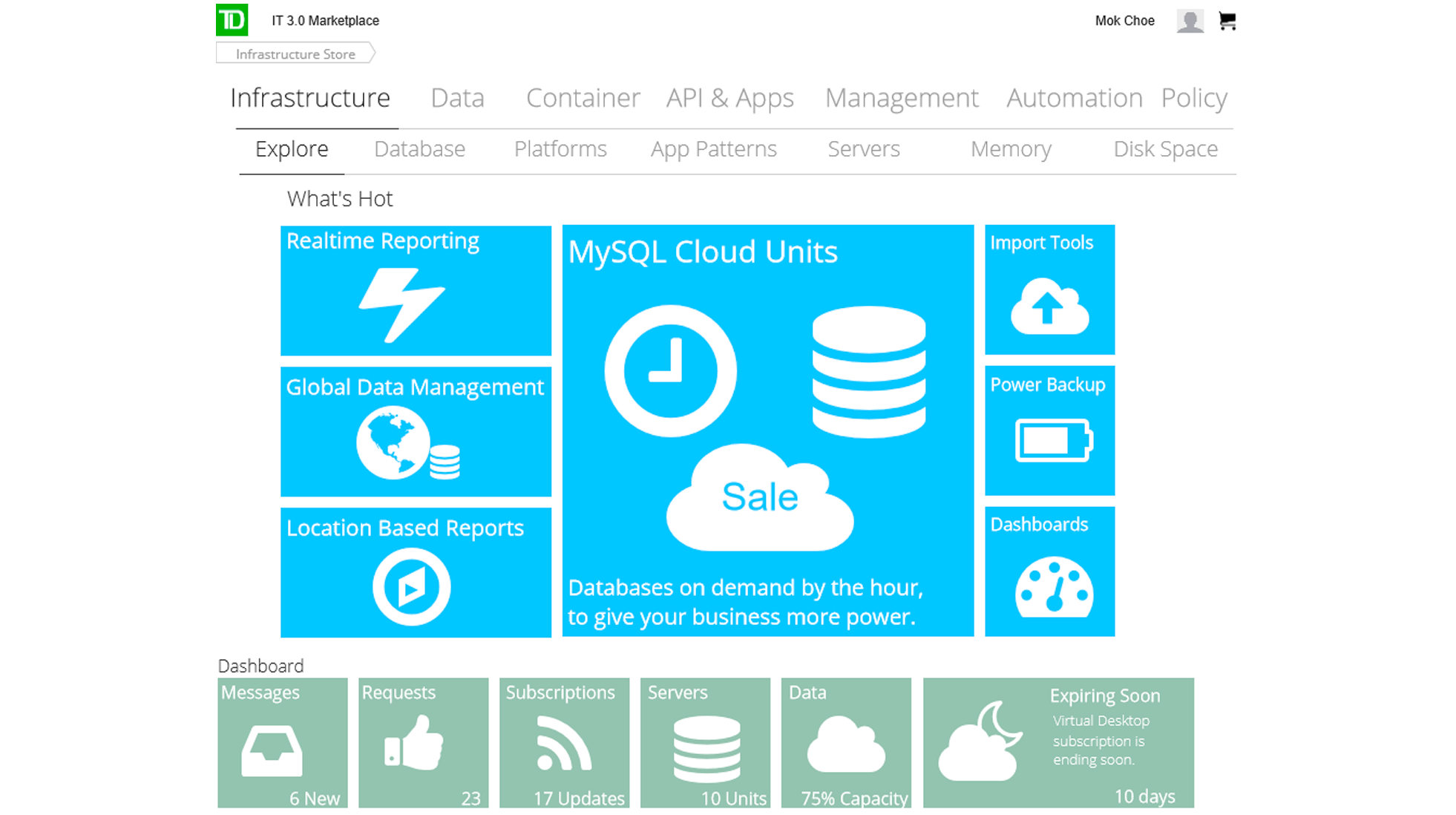
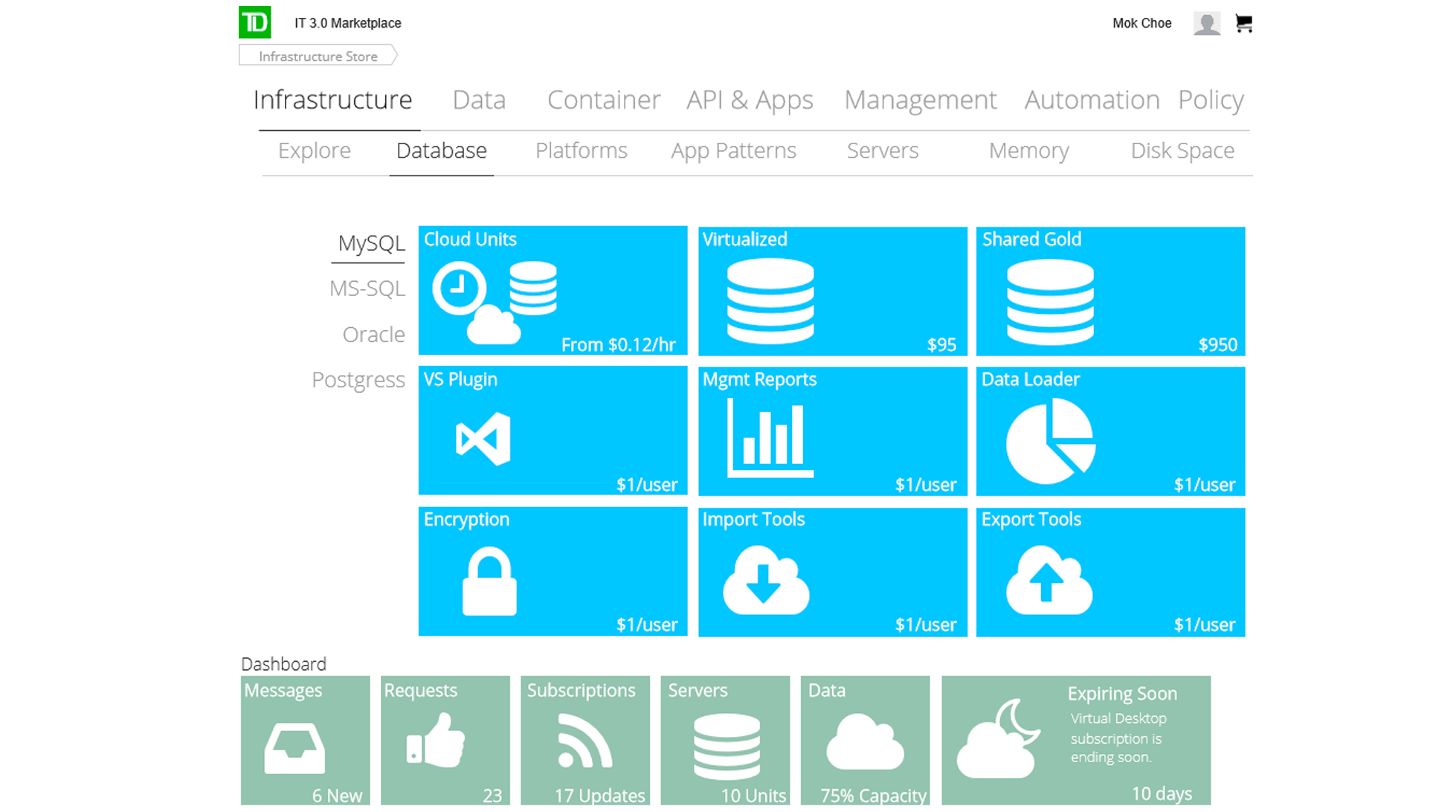
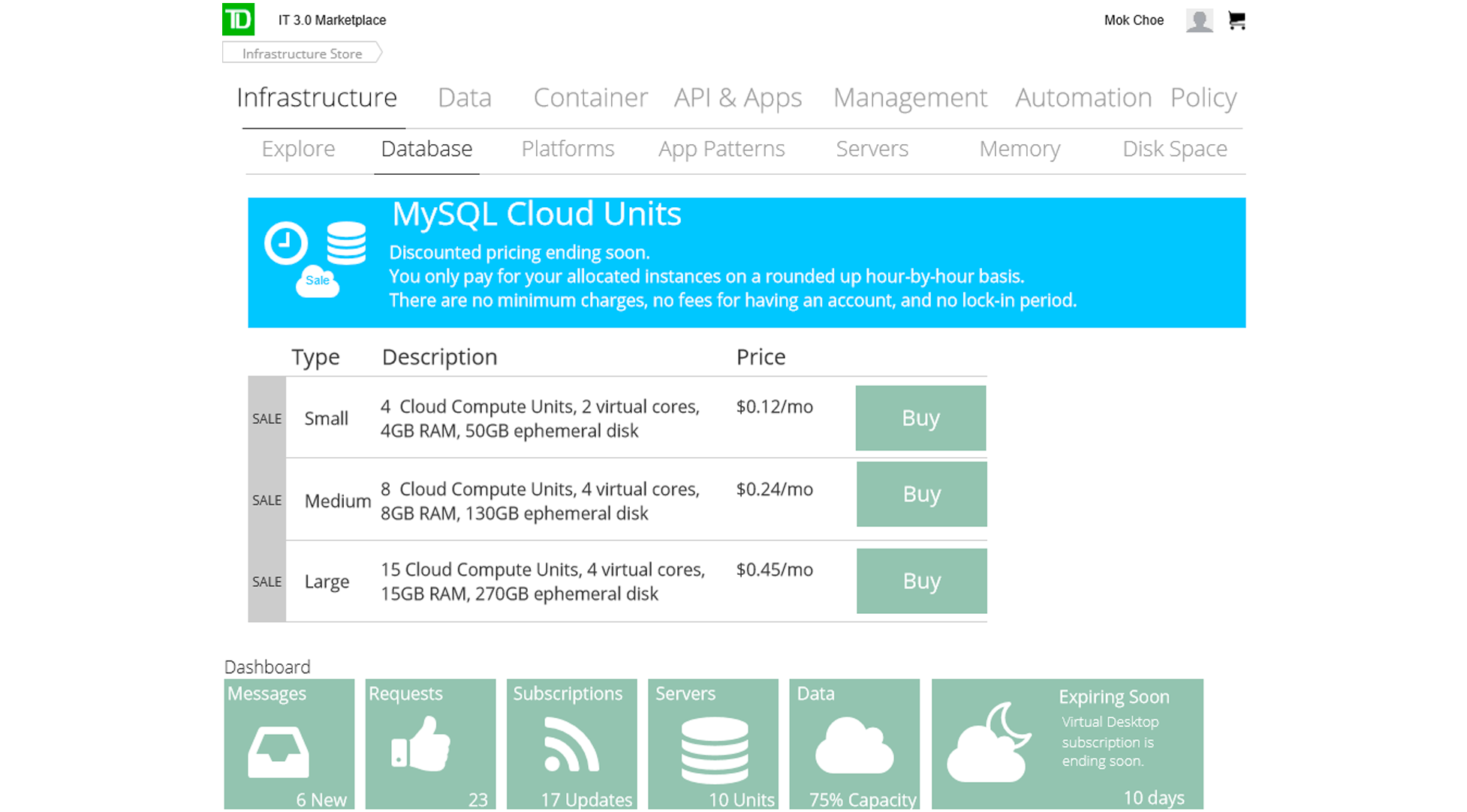
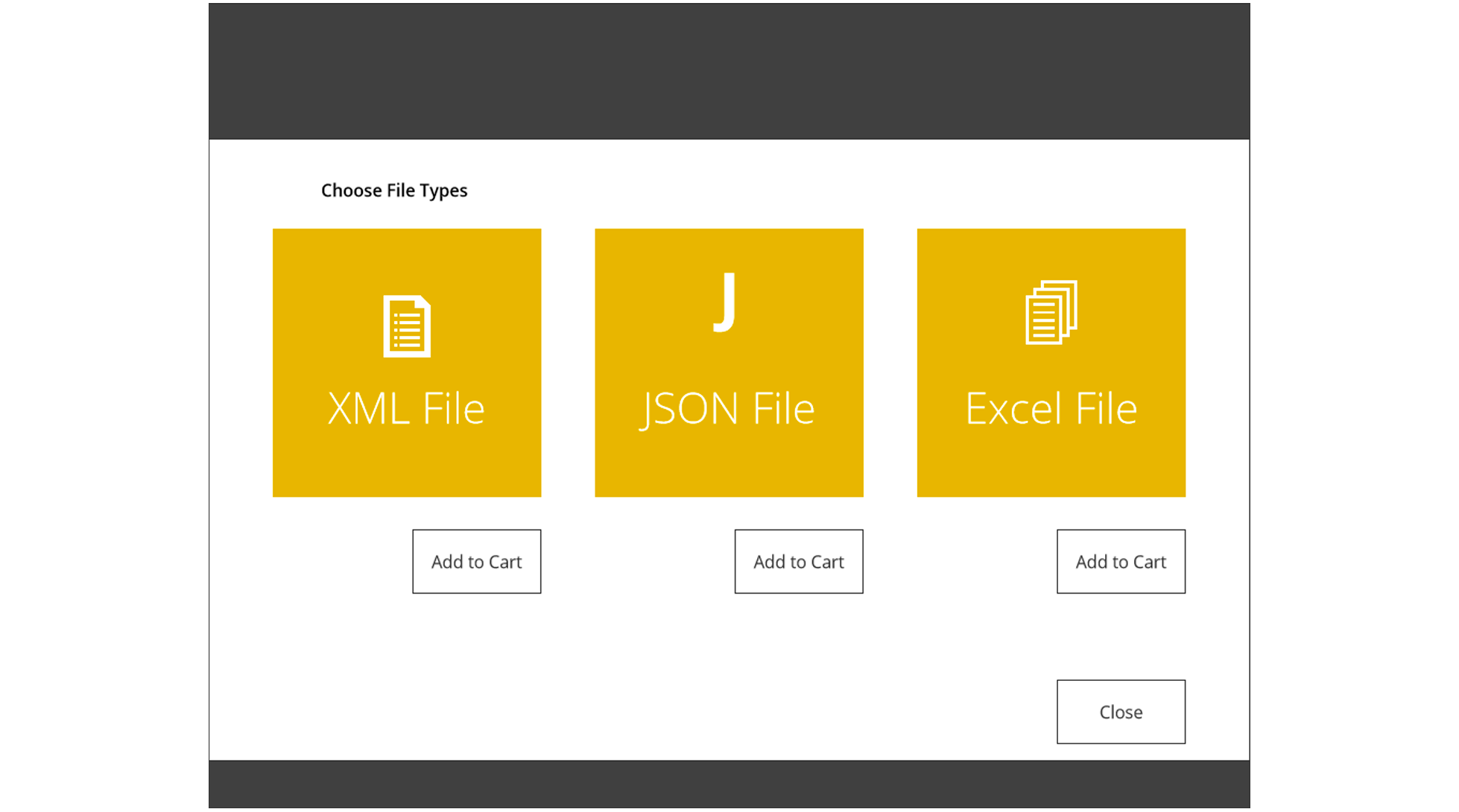
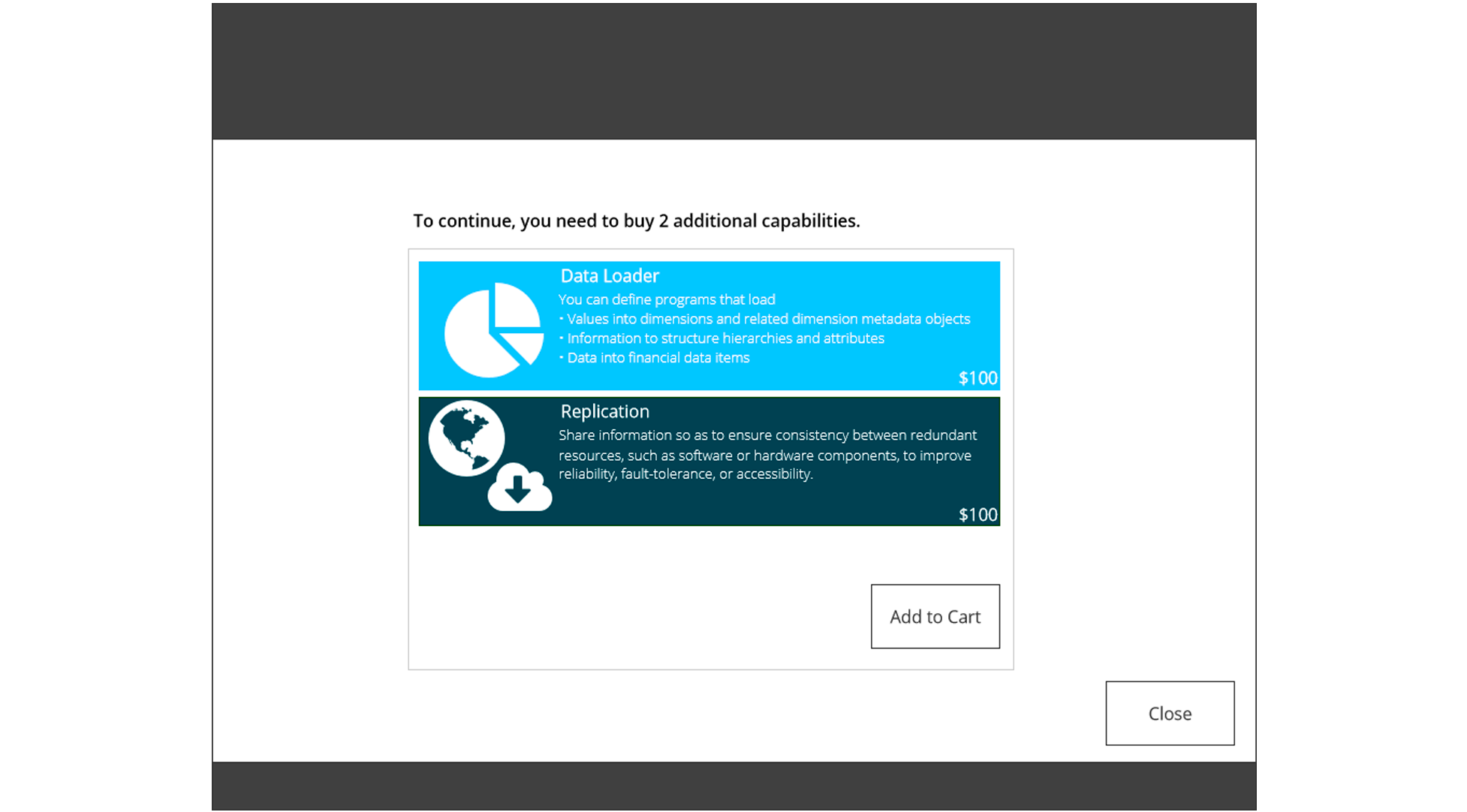
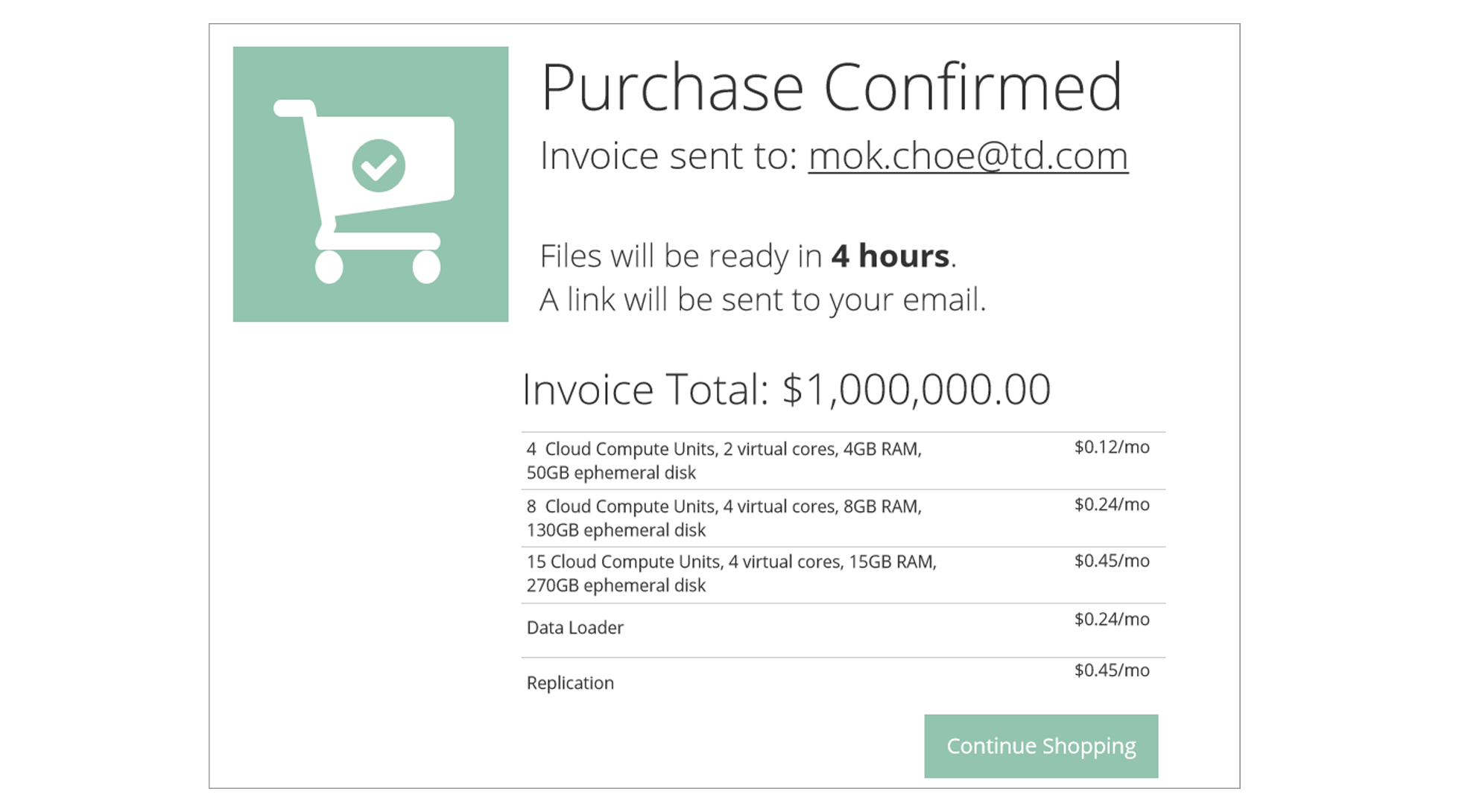
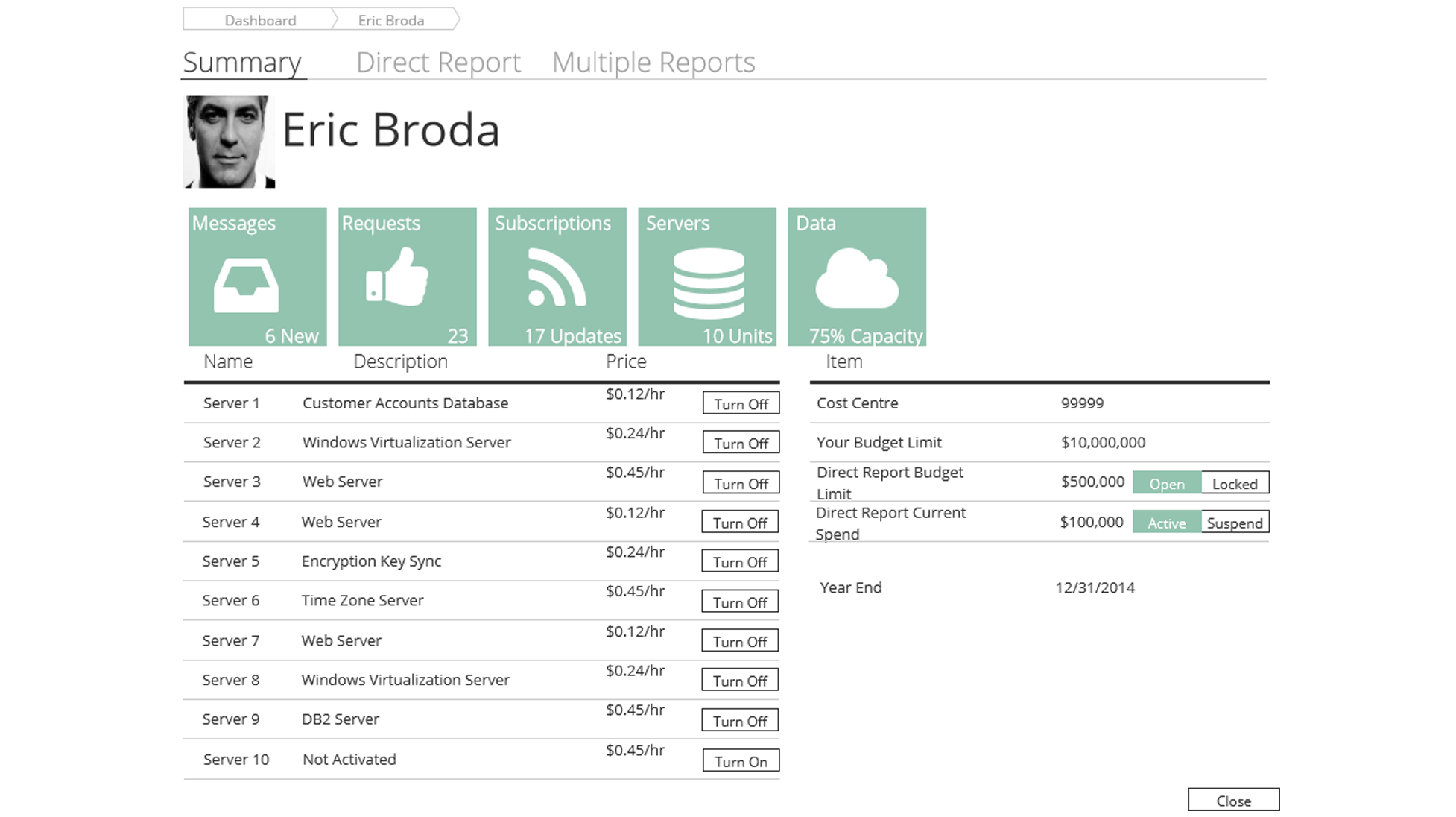
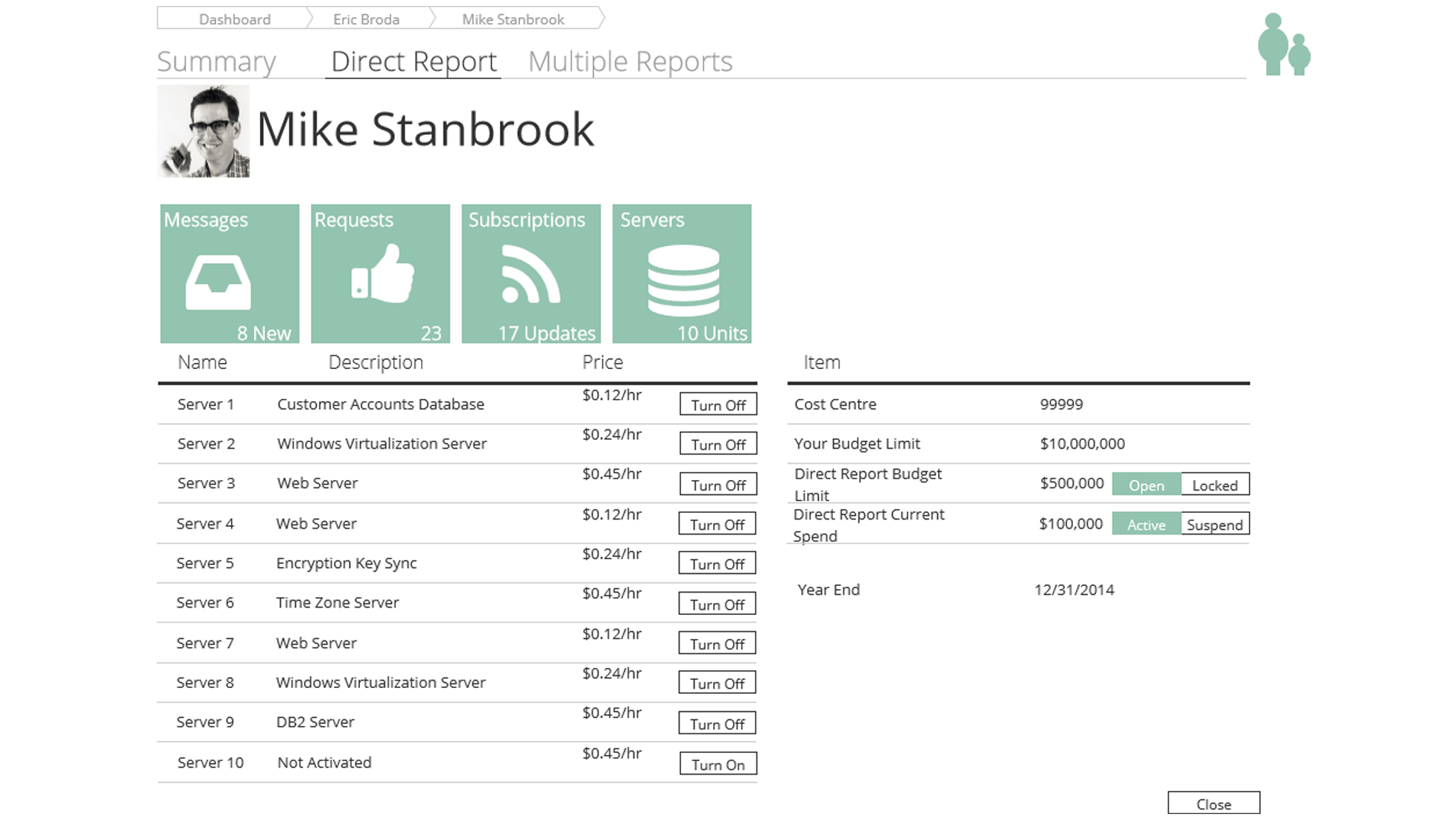
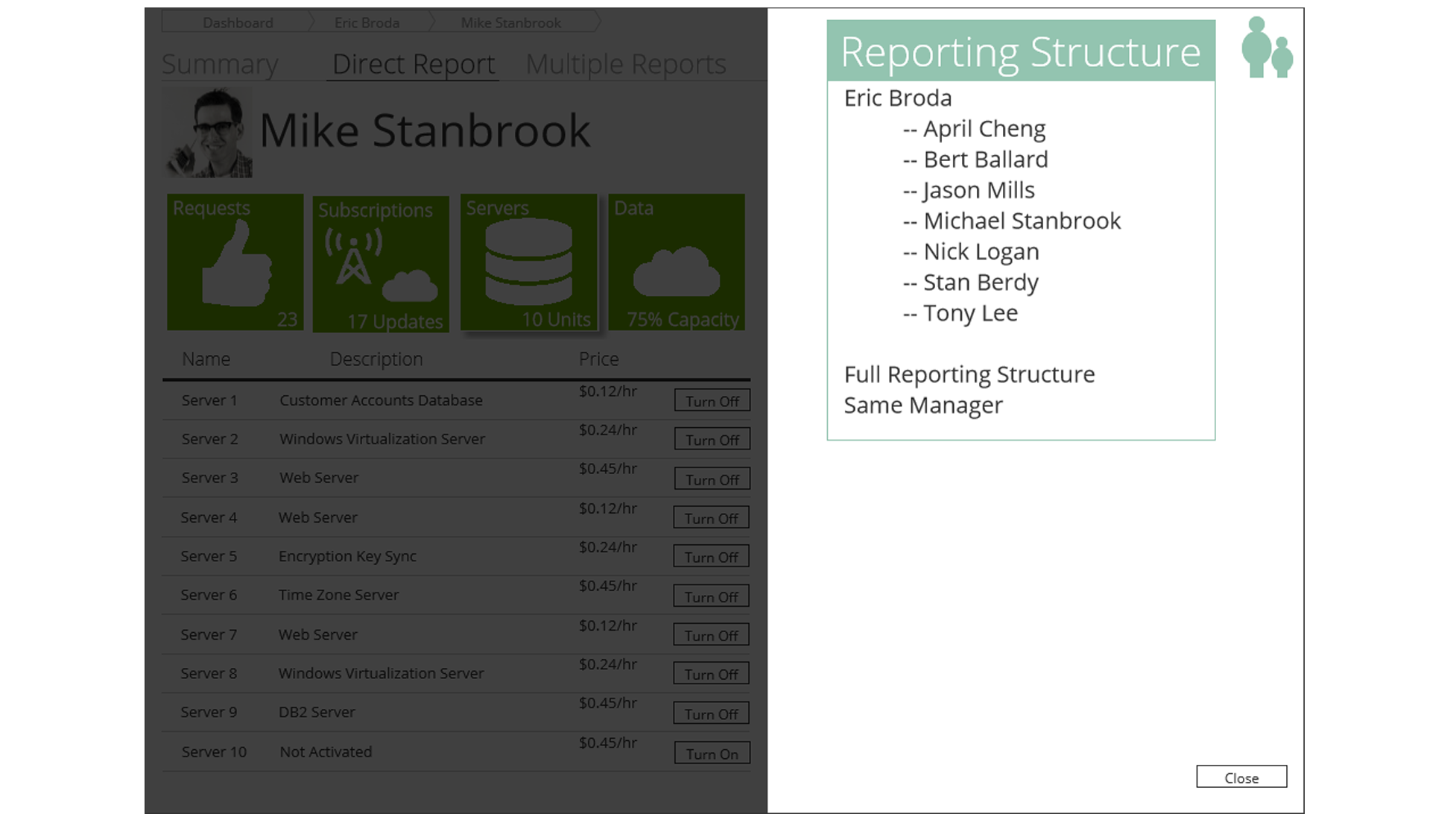
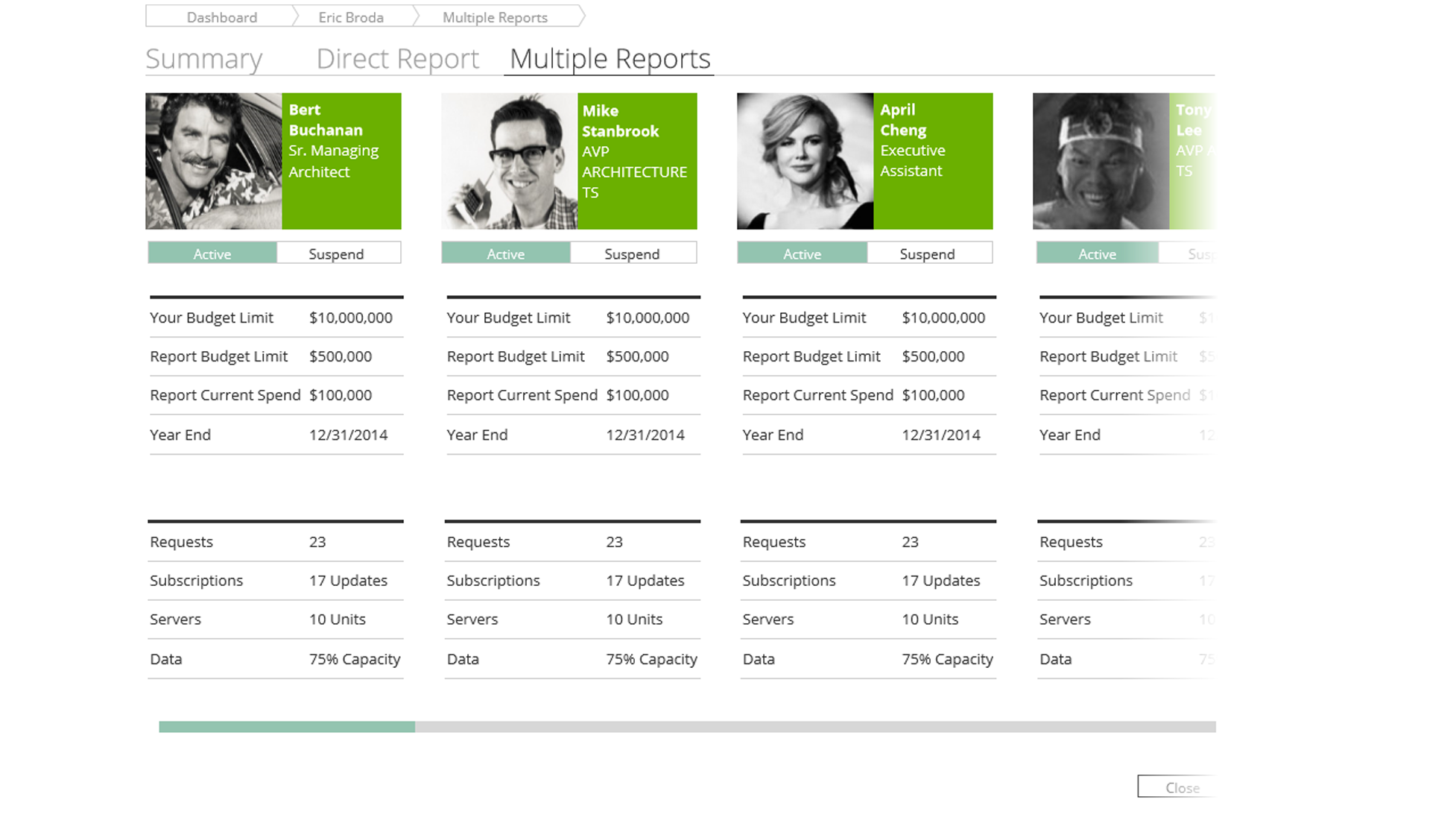
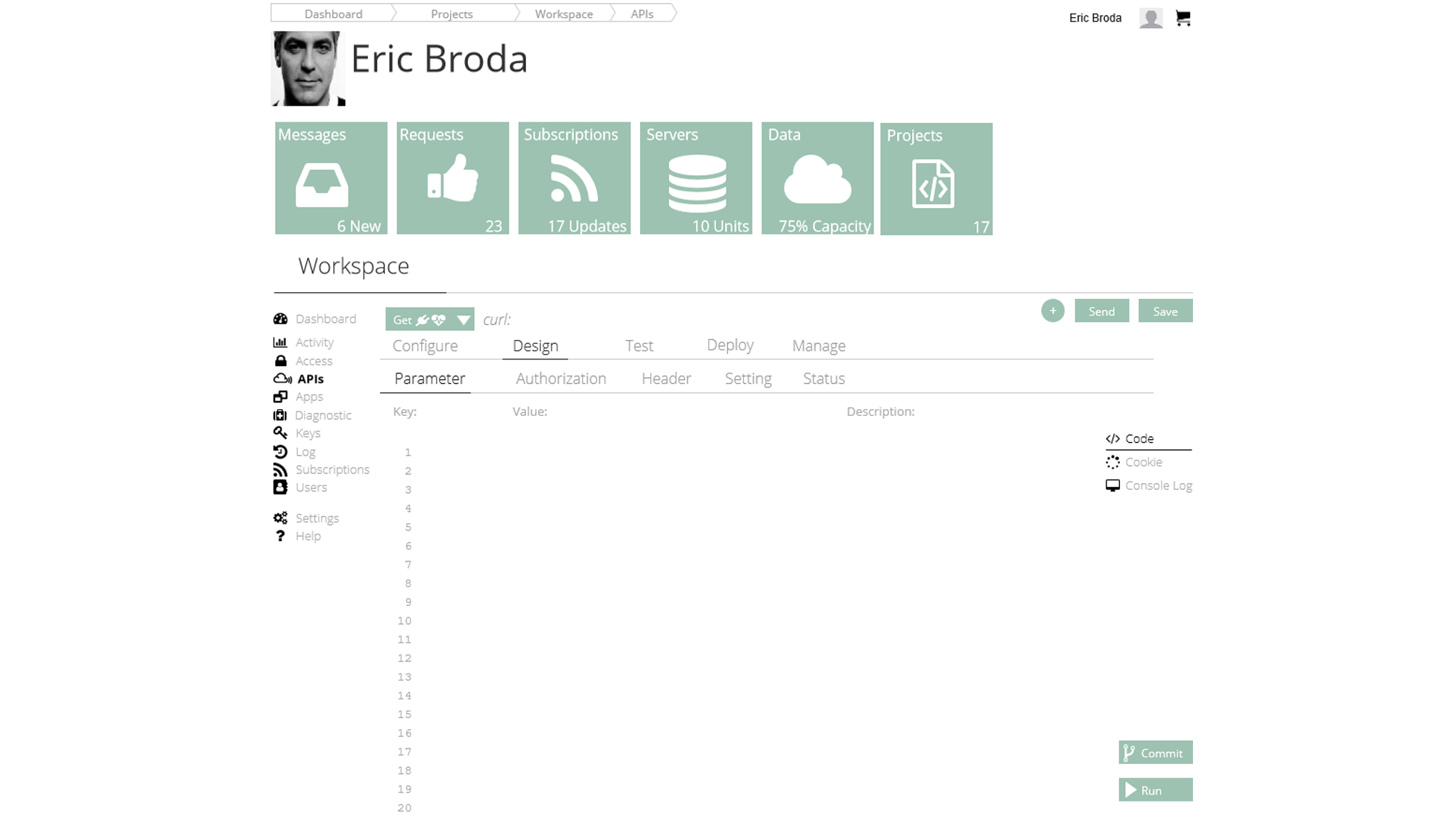
The next step was to create an Interactive Prototype that we could use for rounds of Usability Testing.
We created an Interactive Prototype, first based on output from the Wireframing tools and then a Functional Prototype was created by the development team in Angular.js, so that we could make more rapid updates to ongoing code.
This was paramount, so we could get empirical information to guide, optimize and update Wireframes, User/Screen Flows and Development coding.

Part 10/11 - Develop, Refine: Usability Testing
Confirming Assumptions with Real User Feedback
With the Interactive Prototype and Function code versions, did rounds of Usability Testing.
A Usability Testing plan and system was created so that we could get direct input and feedback from users as we iterated through different versions during Sprints.
Using experienced Usability Testing facilitation techniques, we created a testing script, as well asking users to talk “out loud” of what they are doing and thinking, explain to them that it is useful to do this as “we can't see inside your head", which they were happy to comply.
For each of the 3 user groups, we performed thirty 1:1 half hour sessions, for a total of 30 Usability Testing sessions (15 hours in total).
The 1:1 sessions were more useful than group sessions or workshops, as we were able to remove group bias influences and “group think”.
Doing 1:1 testing is also useful, as trained facilitators can recognize subtle cues and "pull on a thread" to uncover deeper issues to solve. These are some of the questions and tasks we asked:
- What do you think this is?
- Task 1: Please show how to buy a cloud server
- Task 2: Please show how to see which services you own.

Part 11/11 - Real Business Impact: WCAG 2.2 Accessibility, QA and Rollout
Socialization Techniques and Hackathon Gamification for Enterprise Change Management
Any new product launch needs to be socialized to understand how it will impact users.
To manage this, we held training session and presented the new product at “Town Halls” where we used the feedback to make changes.
This type of technique has deep roots in Behavioral Economics principles to increase positive adoption.
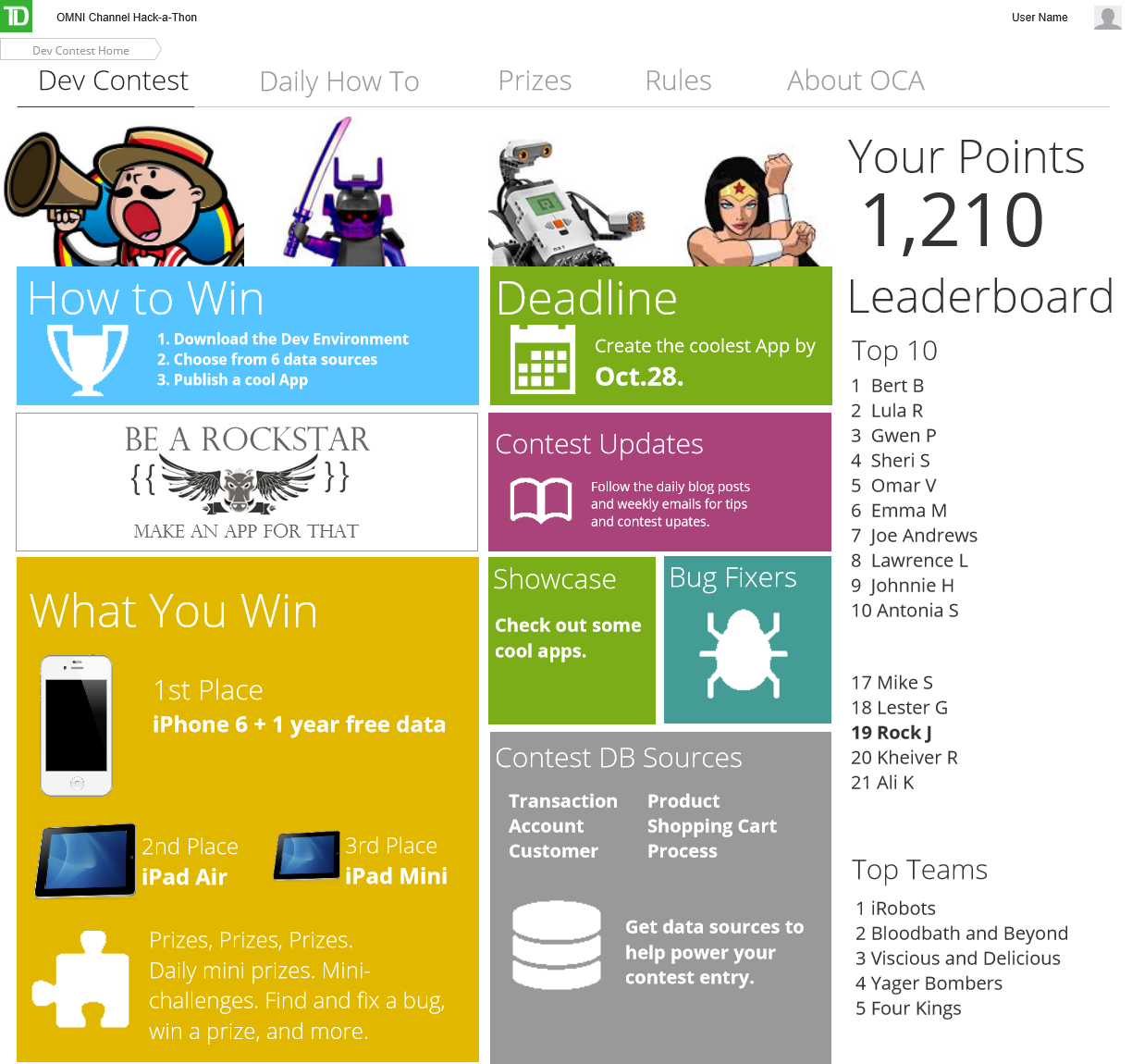
- As this would impact users' work, we created a 30 day Hackathon where we asked developers to create applications, based on components they could get from the Marketplace
- Participants were awarded points and could play in different "Games", as they were guided through skills training in a fun way
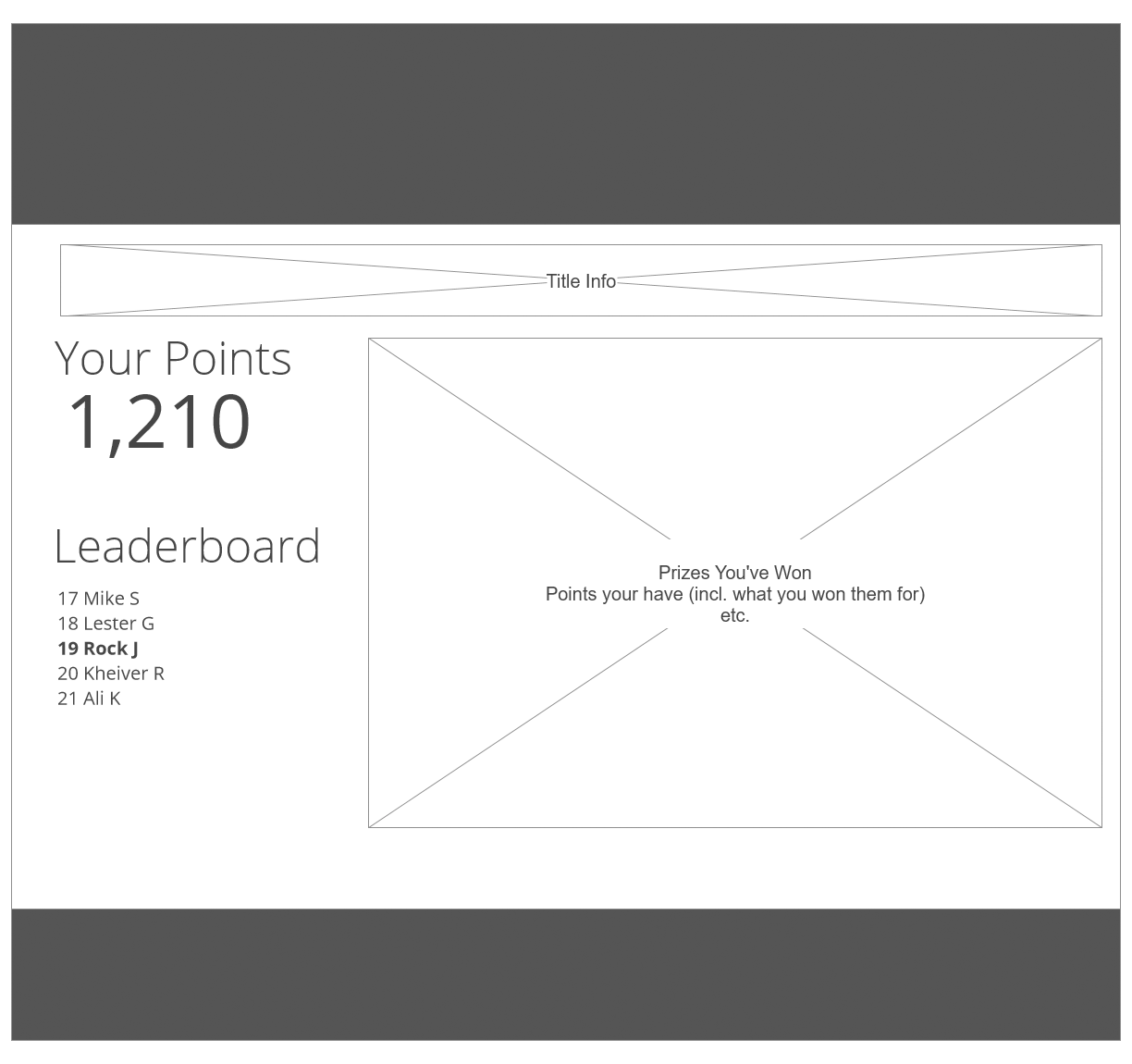
- Using Leaderboards, Reward Systems, and Social Media Theory, we had over 200 Enterprise participants, 10x above the historical engagement for new initiatives in the same timeframe
- Daily winners received small prizes such as mini Bluetooth speakers, Android Squeeze Balls and other "toys" that were valued by the target audience
- The top App winners received new iPhones, with the top winner getting a Gold iPhone; everyone who participated received recognition as well as a "Hackathon" tshirt
- Using this Change Management technique, the "Hackathon" increased new tech stack skills upgrade from 50% to 90% pass rate in 30 days, across 14 global departments